Hiring today is no longer just about posting jobs and conducting interviews. It’s about visibility, speed, automation, and control across the entire recruitment process.
To solve this, we have designed a comprehensive Automated Recruitment Management Dashboard. By transforming standard data sheets into a role-based app using ChartApps, HR teams can eliminate manual tracking and gain complete ownership of the entire lifecycle, from job posting to employee onboarding.
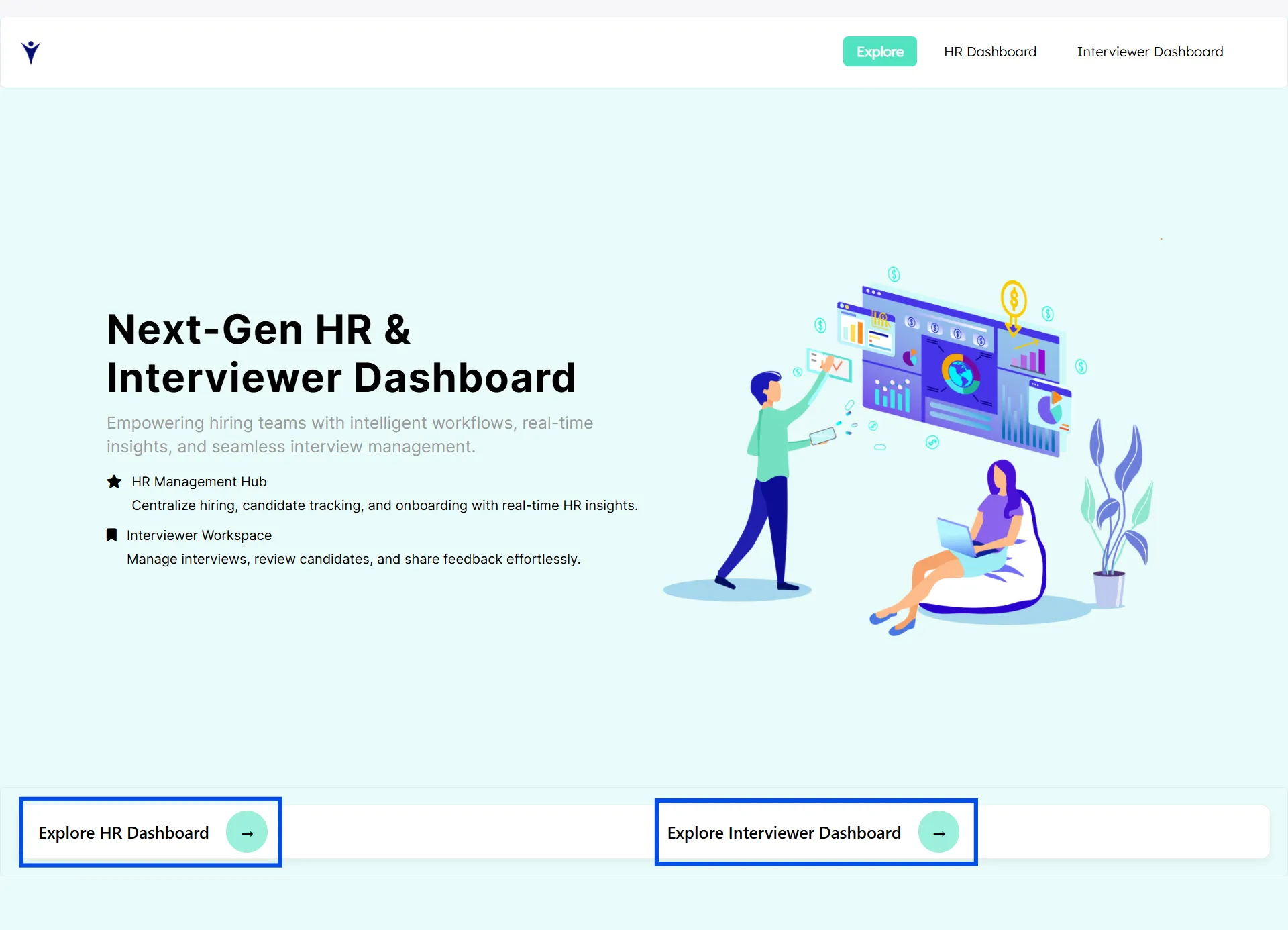
Dual Dashboard Architecture
The system is built around two dedicated dashboards, ensuring clarity and role-based access.
✦ HR Dashboard: End-to-end recruitment ownership
✦ Interviewer Dashboard: Focused candidate evaluation and feedback
This separation ensures better accountability, faster decision-making, and secure access control.
HR Dashboard: Central Command for Recruitment
The Recruitment Management Dashboard serves as the central command center, giving recruiters a real-time snapshot of active openings, shortlisted candidates, and onboarding progress at a glance
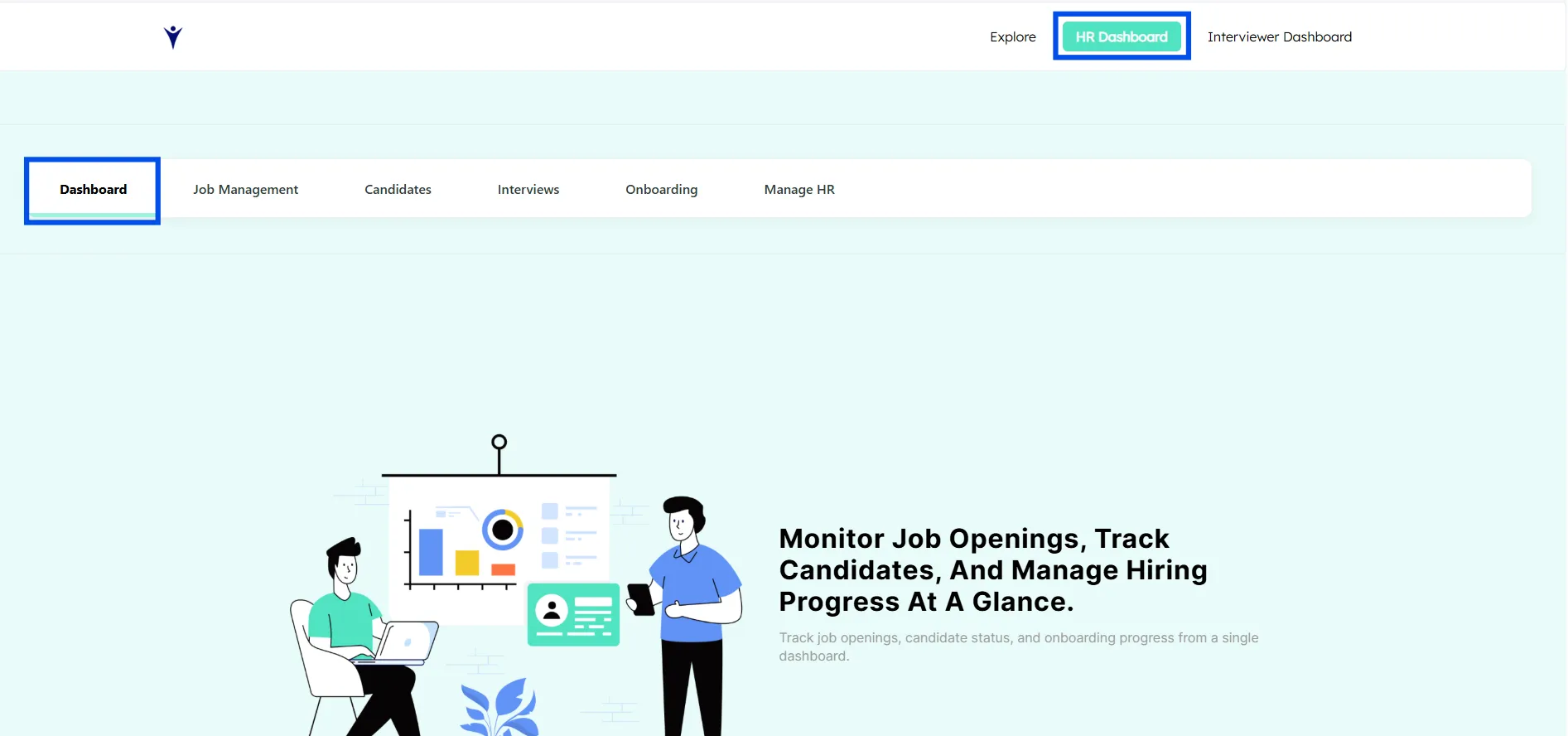
Key Metrics
✦ Total Openings: Active job openings across the organization
✦ Shortlisted Candidates: Candidates who passed screening
✦ Onboarding Candidates: Candidates who completed all interview roundThis dashboard helps HR teams identify bottlenecks and prioritize actions instantly.

Functions Used Here:
=COUNTIF(G2:G, "Open")
What it does:
Counts how many cells in column G (from row 2 onward) contain the word "Open" in the Available Positions Sheet.
Use case:
Total number of open job openings, open tasks, or open statuses.
Example:
If column G is Job Status:
Open
Closed
Open
Open
Result = 3
=COUNTIF(O2:O, "Completed")
What it does:
Counts how many cells in column O have the value "Completed" in “Shortlisted Candidate”
Use case:
Total number of completed interviews, completed onboarding steps, or finished tasks.
Example:
If column O is Interview Status:
Completed
Pending
Completed
Result = 2
=COUNTA(A2:A)
What it does:
✦ Counts all non-empty cells in column A starting from row 2
✦ It does not care about the value, only whether the cell has data
Use case:
Total number of records, candidates, or entries
Example:
If column A has candidate Names:
Name 1
Name 2
(blank)
Name 3
Result = 3
Job Management
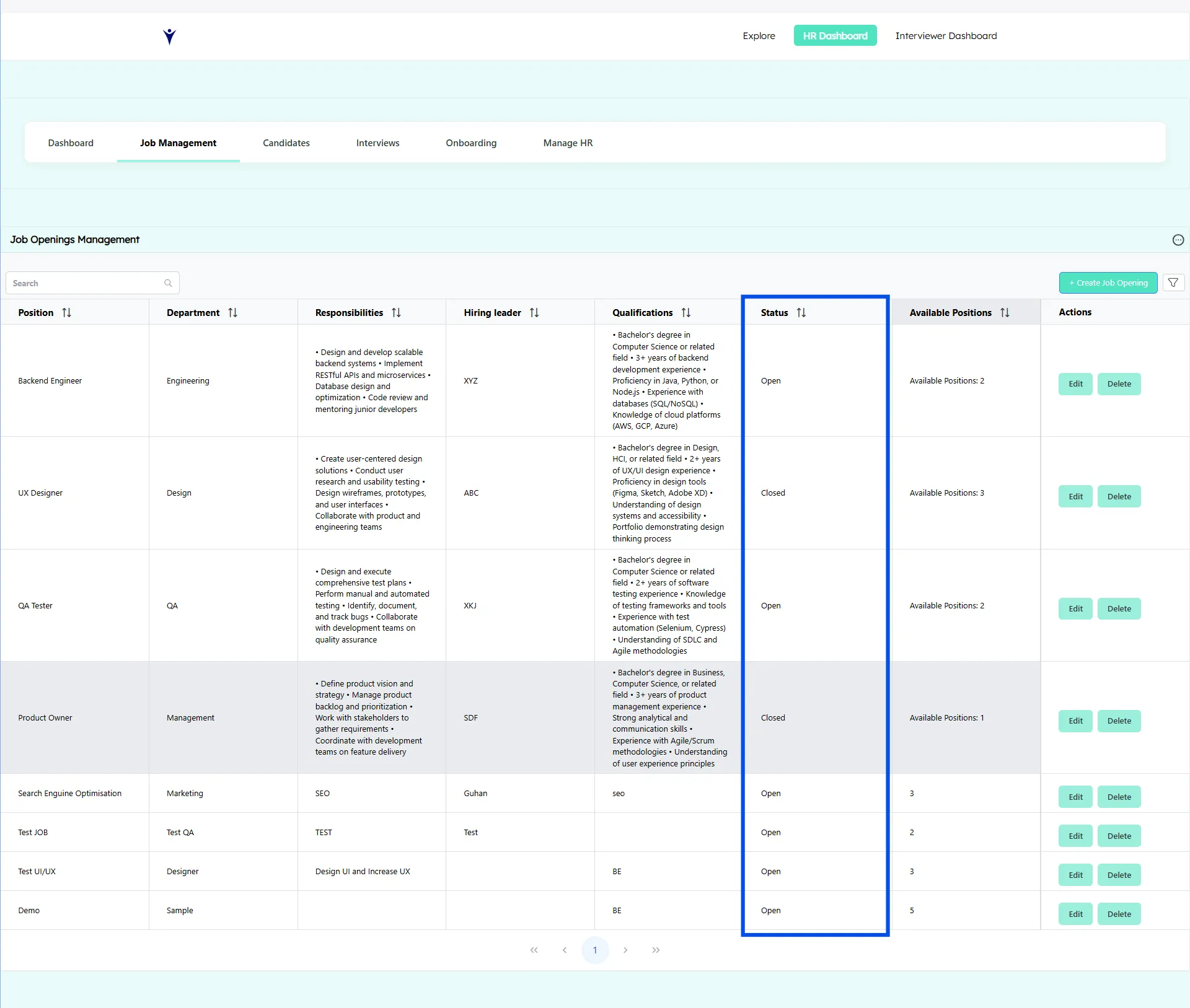
Job Openings & Job Management acts as the central control panel for HR teams to manage the entire lifecycle of job positions. It ensures that every role, from creation to closure, is tracked clearly and handled efficiently.
1. Job Openings List
The Job Openings List provides HR teams with a consolidated view of all available and past job positions.
Key functions:
✦ Displays a complete list of job openings in one place
✦ Shows the status of each position (Open or Closed)
✦ Allows quick identification of active hiring needs
✦ Helps HR avoid duplicate or outdated job postings
This list acts as a real-time snapshot of the organization’s hiring requirements.
2. Job Status Tracking (Open / Closed)
Each job opening is assigned a clear status to reflect its hiring stage.
Status meanings:
✦ Open - The role is actively hiring and accepting candidates
✦ Closed - Hiring is completed or temporarily paused
Why this matters:
✦ Prevents candidates from being added to inactive roles
✦ Ensures interviewers and recruiters focus only on active positions
✦ Maintains accurate hiring metrics and reports
3. Job Management Capabilities
The Job Management section empowers HR teams to fully control job-related data.
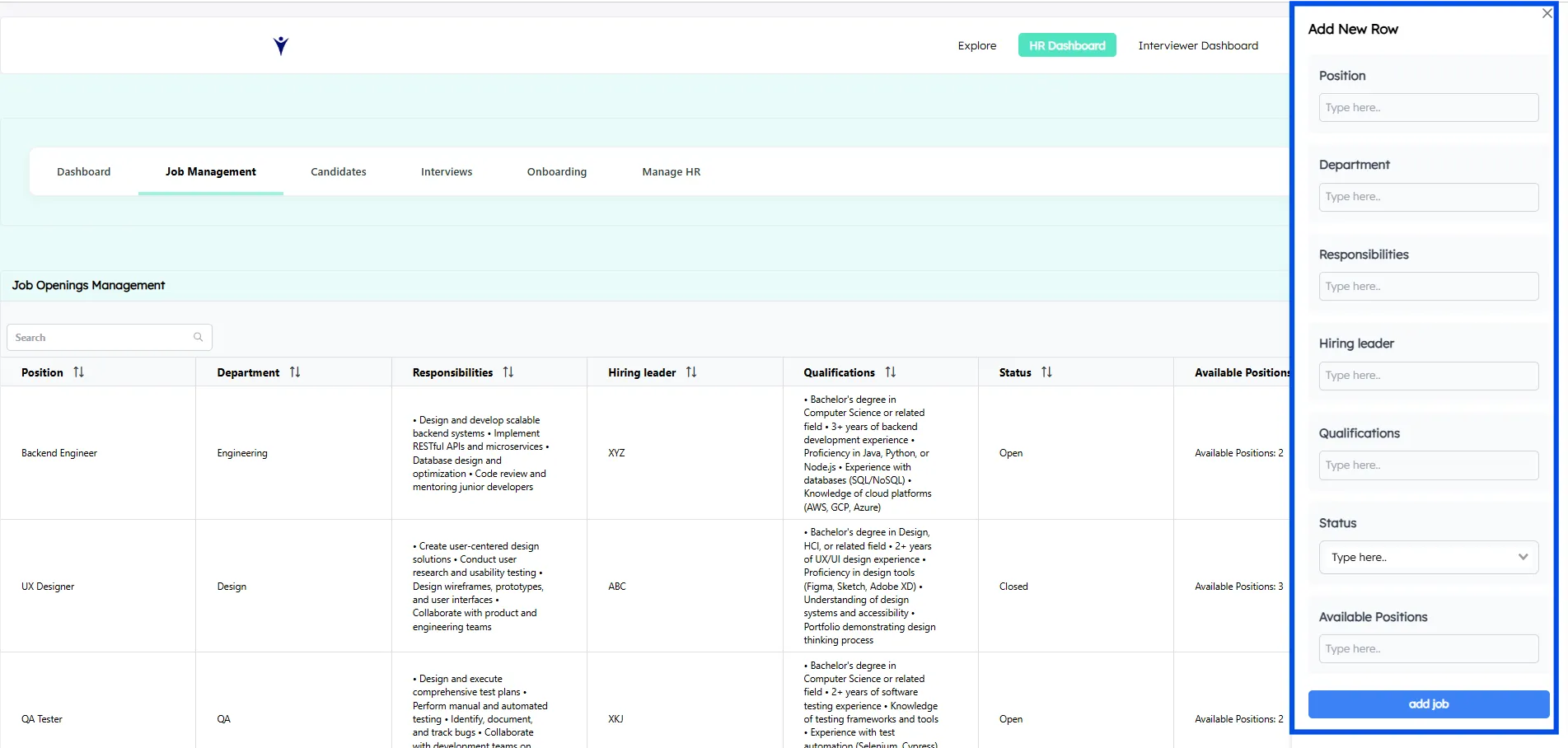
a. Create New Job Openings
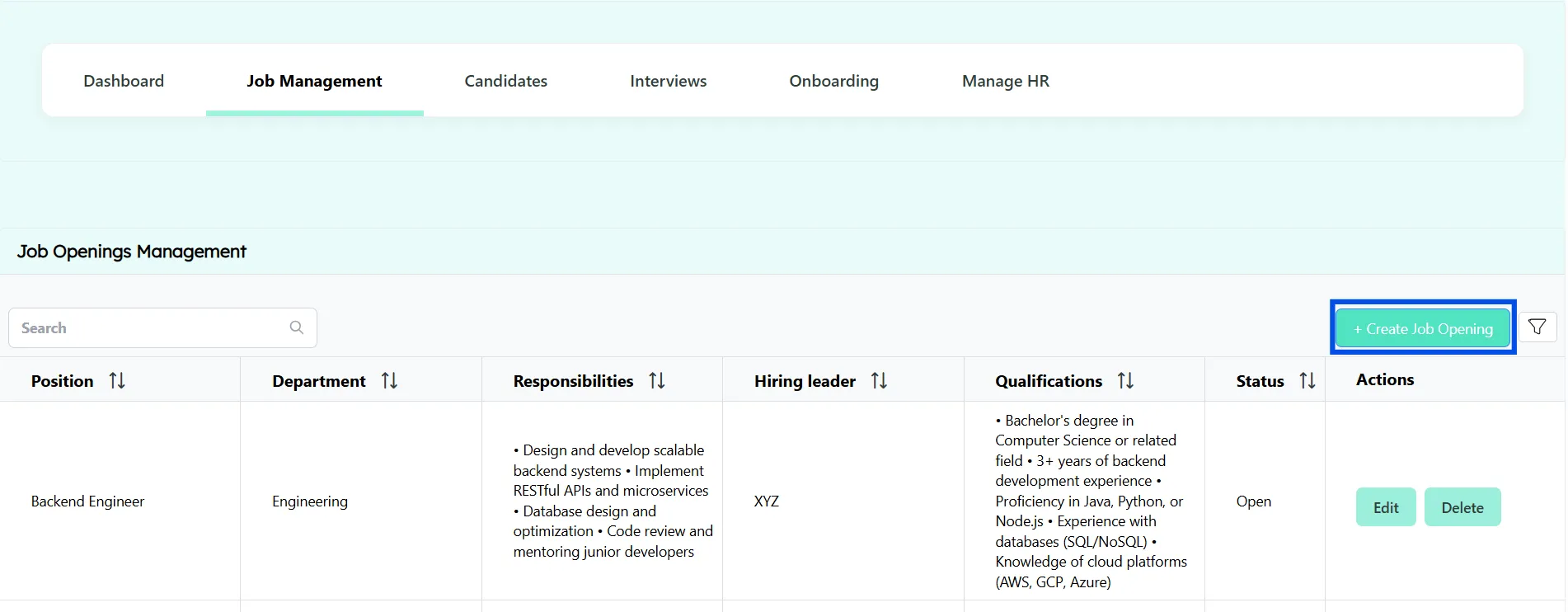
✦ HR can add new positions using a structured job creation form
✦ Fields typically include job title, department, experience level, skills, location, and number of openings
✦ Standardized input ensures consistency across all job listings
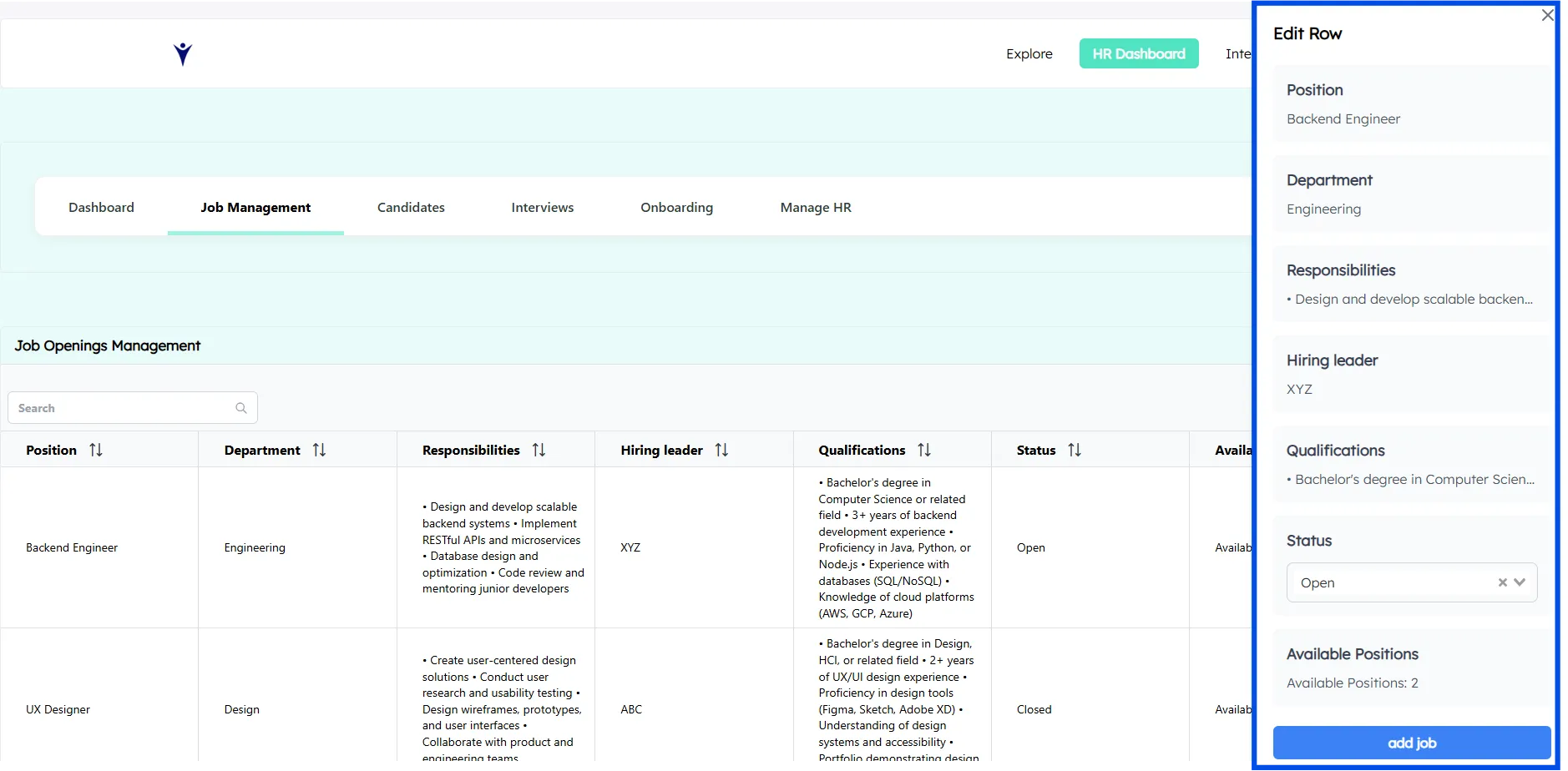
b. Edit Job Details & Update Status
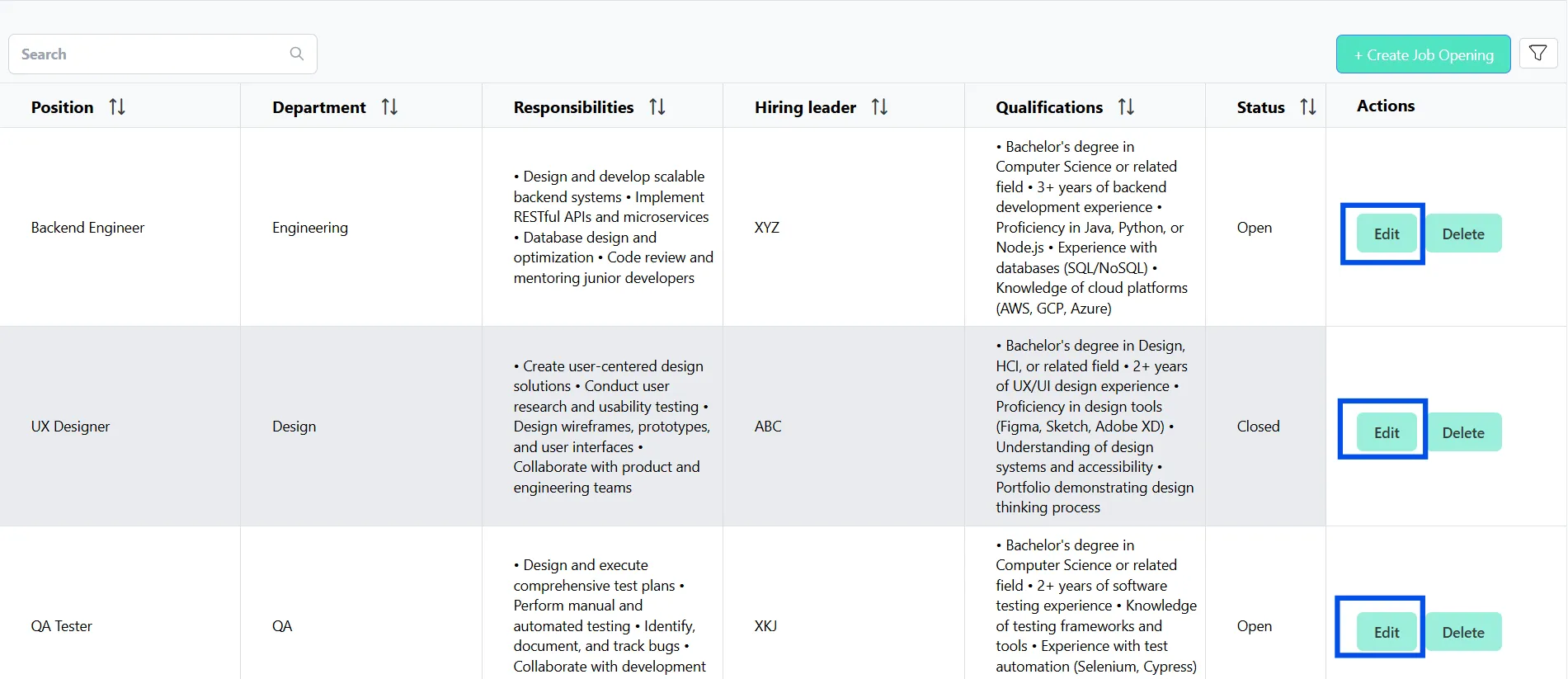
✦ Modify job information as requirements evolve
✦ Change job status from Open to Closed when hiring is complete
✦ Keep job descriptions and requirements up to date
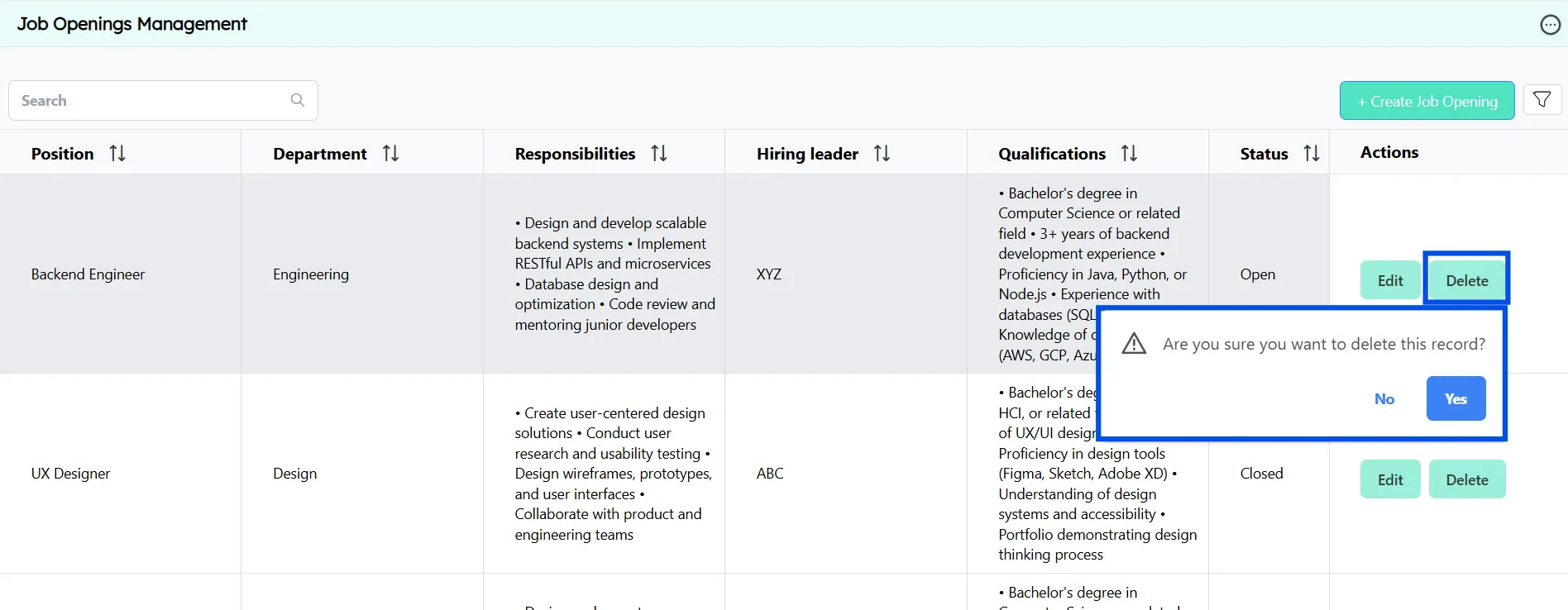
c. Delete Job Openings
✦ Remove obsolete or incorrectly created job listings
✦ Keeps the system clean and free from clutter
✦ Ensures reporting and dashboards remain accurate
4. Business Value & Impact
This structured approach to job openings and job management ensures:
✦ Organized recruitment workflows: No confusion about active or inactive roles
✦ Accurate data: Clean, updated job information across the system
✦ Better collaboration: HR and interviewers work from the same source of truth
✦ Improved efficiency: Faster hiring decisions with fewer errors
Candidate Management: One Profile, Complete Visibility
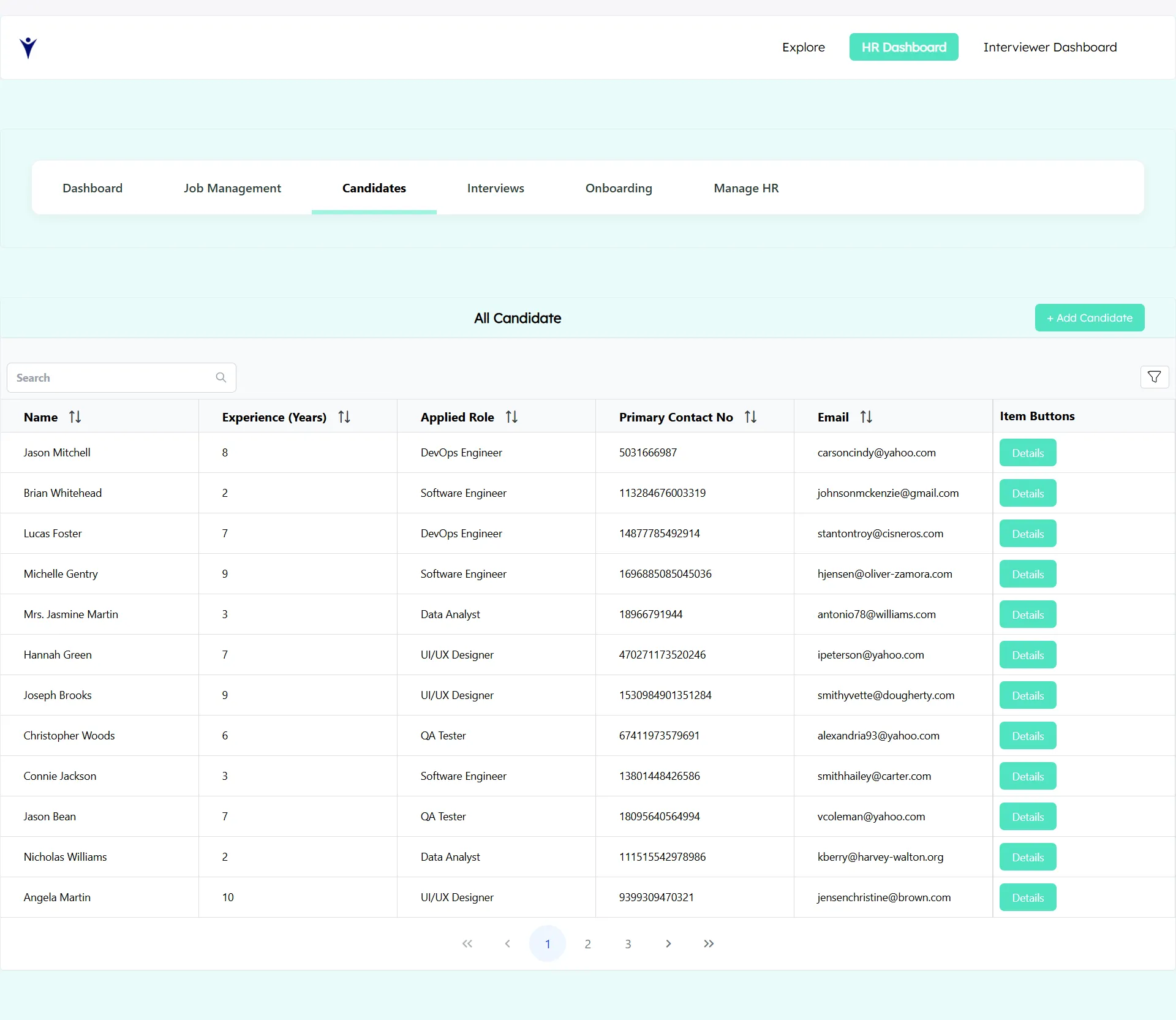
Candidate Management is designed to give HR teams and interviewers a single, unified view of every candidate throughout the entire hiring lifecycle. Instead of scattered notes or multiple records, each candidate is managed through one centralized profile, ensuring clarity, continuity, and accountability at every stage.
1. Centralized & Structured Candidate Data
All candidate information is stored in one structured system that is easy to access and update.
What this means:
✦ One profile per candidate across all interview rounds
✦ No duplicate records or lost information
✦ Consistent data available to HR and interviewers
✦ Faster decision-making with complete context
✦ This creates a single source of truth for candidate information.
2. Add Candidates Against Job Openings
HR teams can directly add candidates to specific job openings.
How it works:
✦ HR selects a job opening and clicks Add Candidate
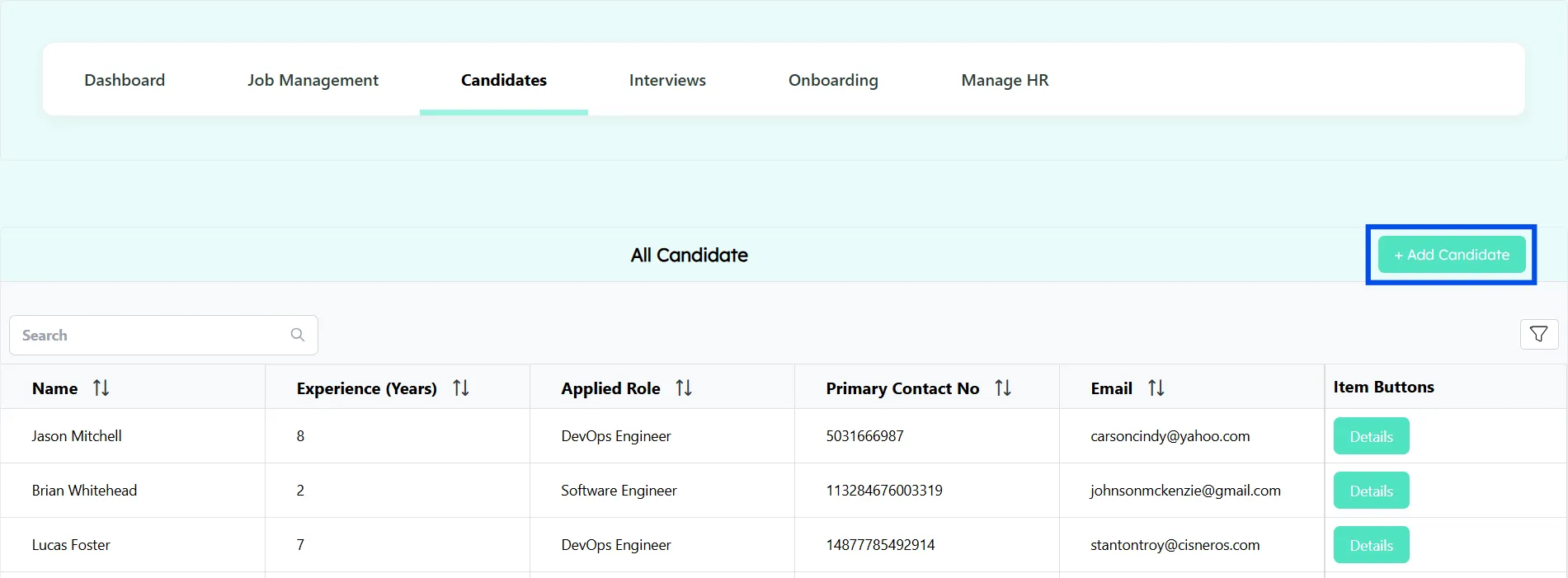
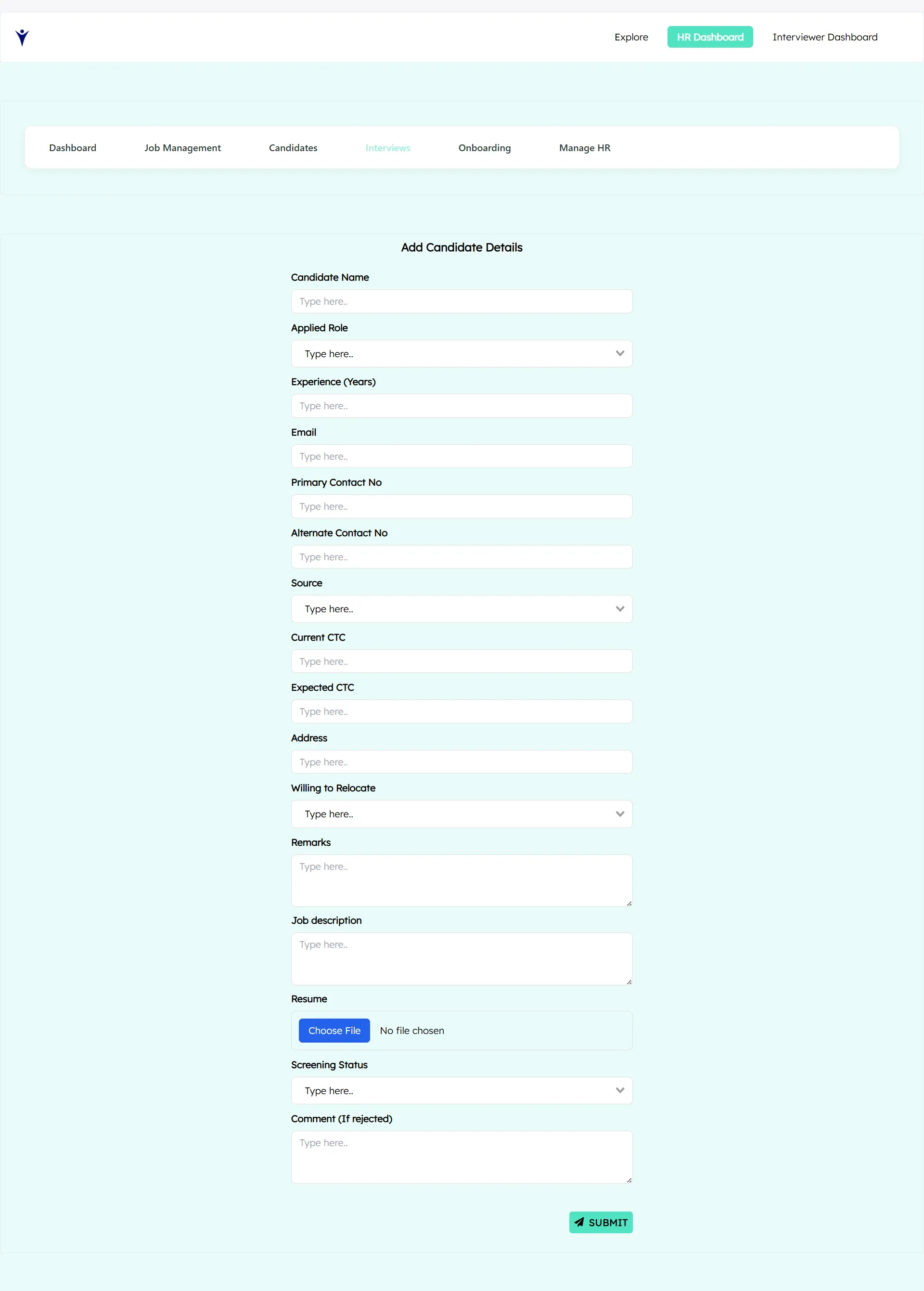
✦ A dedicated candidate form captures all required details
✦ Typical fields include name, contact details, experience, skills, and resume
✦ On submission, the system automatically creates a candidate profile linked to the job
Benefits:
✦ Candidates are always mapped to the correct role
✦ Eliminates manual tracking through spreadsheets
✦ Ensures structured and standardized data entry
Note: Only candidates whose screening status is completed will move forward to the next round.
3. View Complete Candidate Profiles
Each candidate profile provides full visibility into their hiring journey
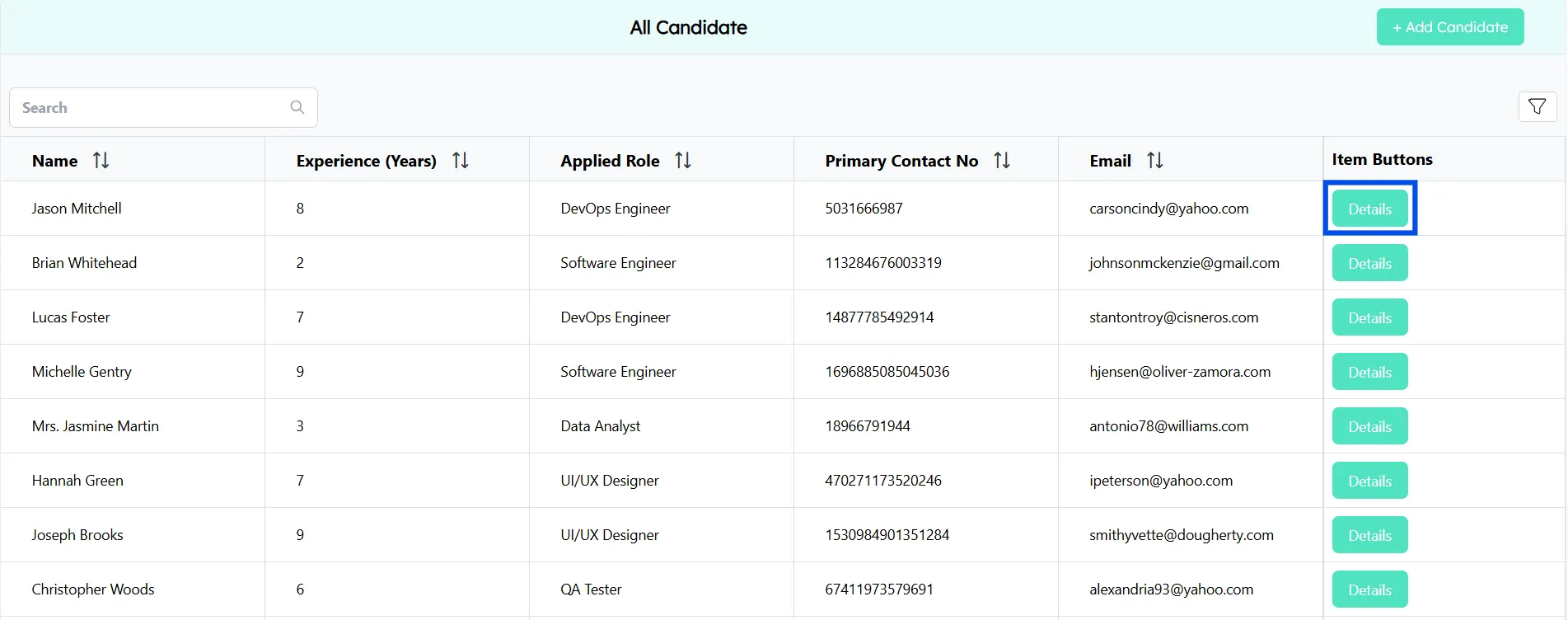
Profile includes:
✦ Personal and professional details
✦ Job opening applied for
✦ Current stage in the hiring process
✦ Interview feedback and progress
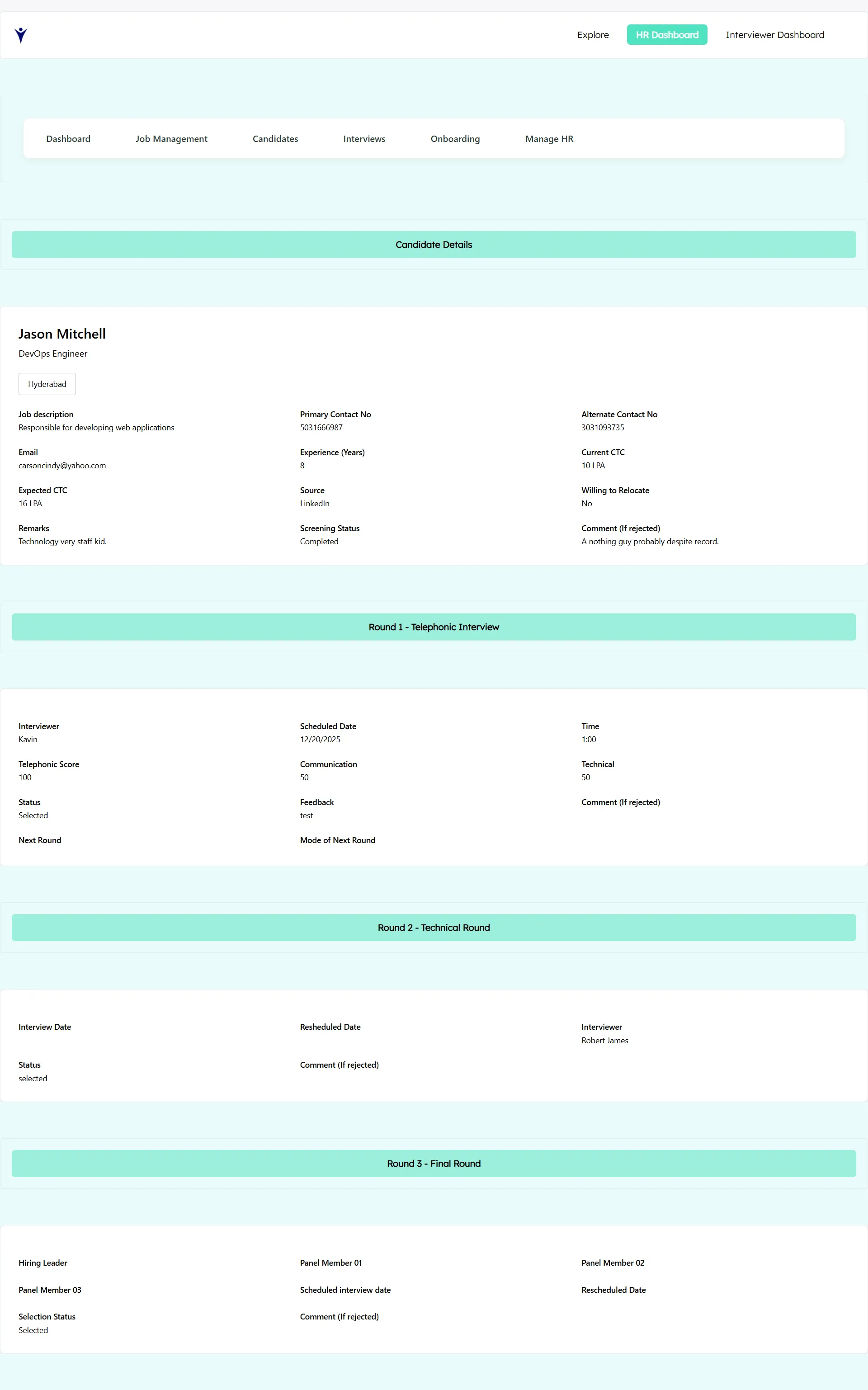
This allows HR and interviewers to understand a candidate’s status instantly, without switching tools.
Interview Management: Structured & Transparent
Interview management is the backbone of any effective recruitment process. This system is designed to bring clarity, consistency, and control to interviews by organizing them into a three-round structured workflow, while giving HR complete visibility at every stage.
Each interview round has its own dedicated view, metrics, and actions, ensuring that no candidate is lost, delayed, or mismanaged.
Interview Rounds Overview
✦ Round 1 - Telephonic
✦ Round 2 - Technical Interview
✦ Round 3 - Final Interview
For each round, HR can:
✦ View total candidates
✦ Track candidates in progress
Formulas Used Here:
=COUNTA(A2:A)
What it does:
✦ Counts all non-empty cells in column A starting from row 2.
✦ It does not care about the value, only whether the cell has data.
What it does:
Counts how many cells in column L have the value "In-Progress" in “Telephonic Interview”
Example:
If column L is Interview Status:
Completed
Pending
In-Progress
Completed
Result = 1
Same formula is followed for the other rounds
Round 1: Telephonic Screening Functions
This is the first interaction between HR and the candidate.
Purpose:
✦ Validate basic eligibility
✦ Understand candidate background and expectations
✦ Confirm interest, availability, and communication skills
HR Capabilities in Round 1:
✦ View the total number of candidates in the telephonic screening stage
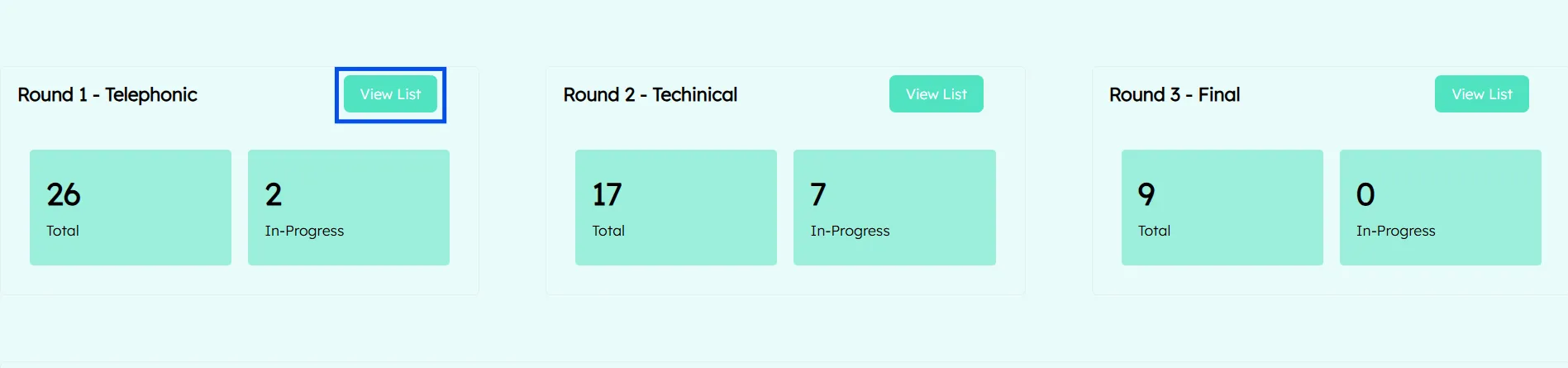
✦ Track how many candidates are in progress, completed, or pending
✦ Access a detailed list of candidates assigned to Round 1
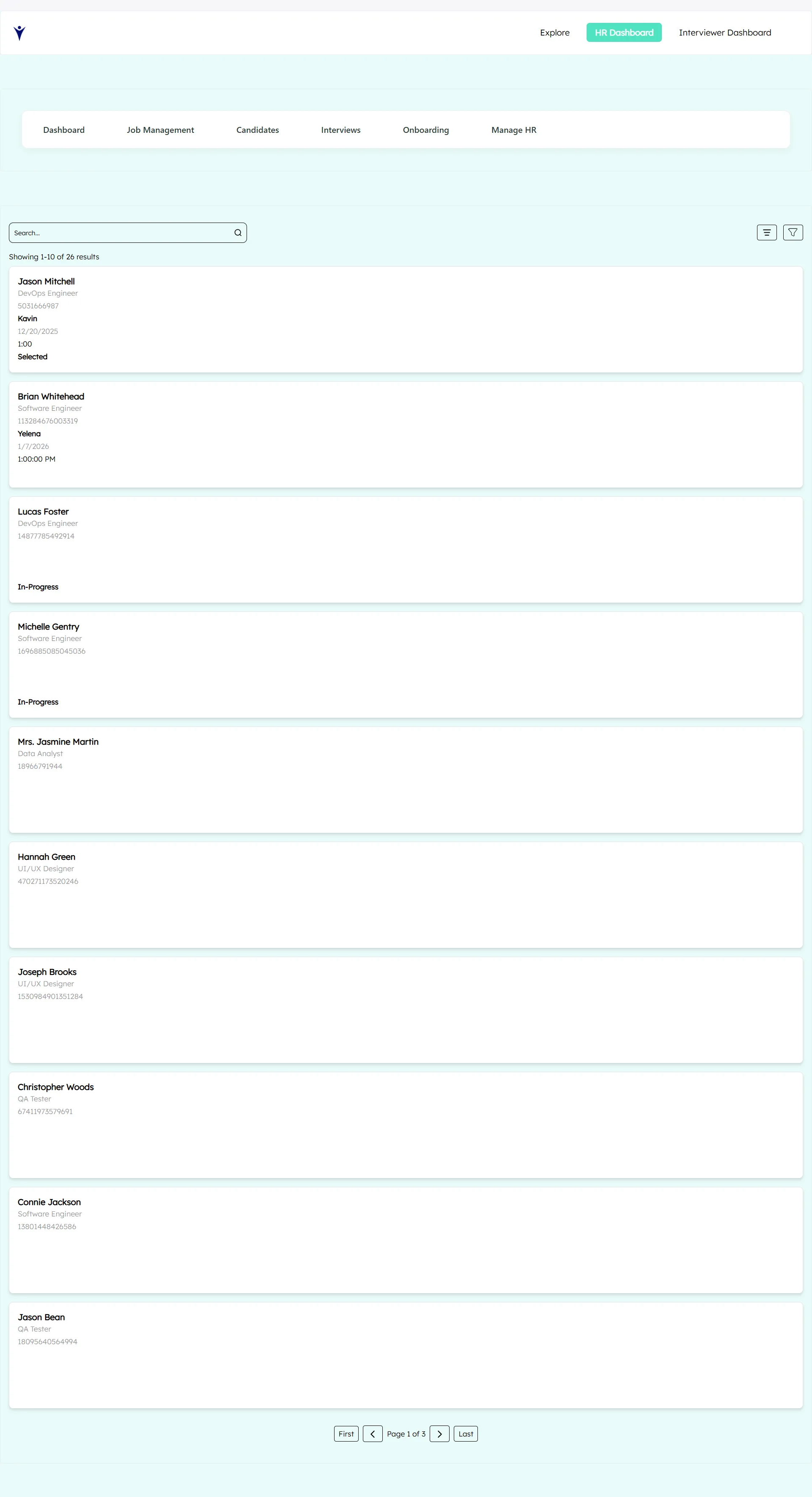
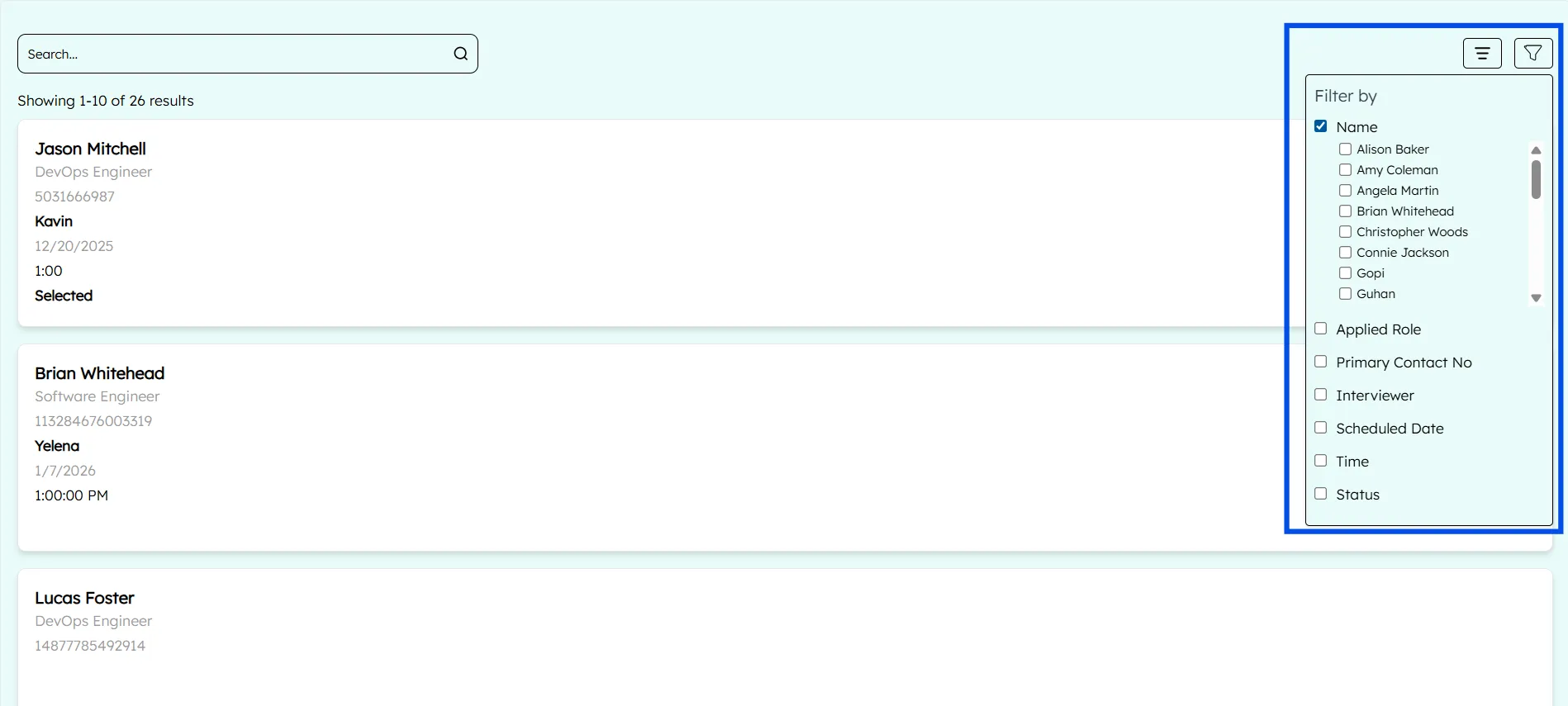
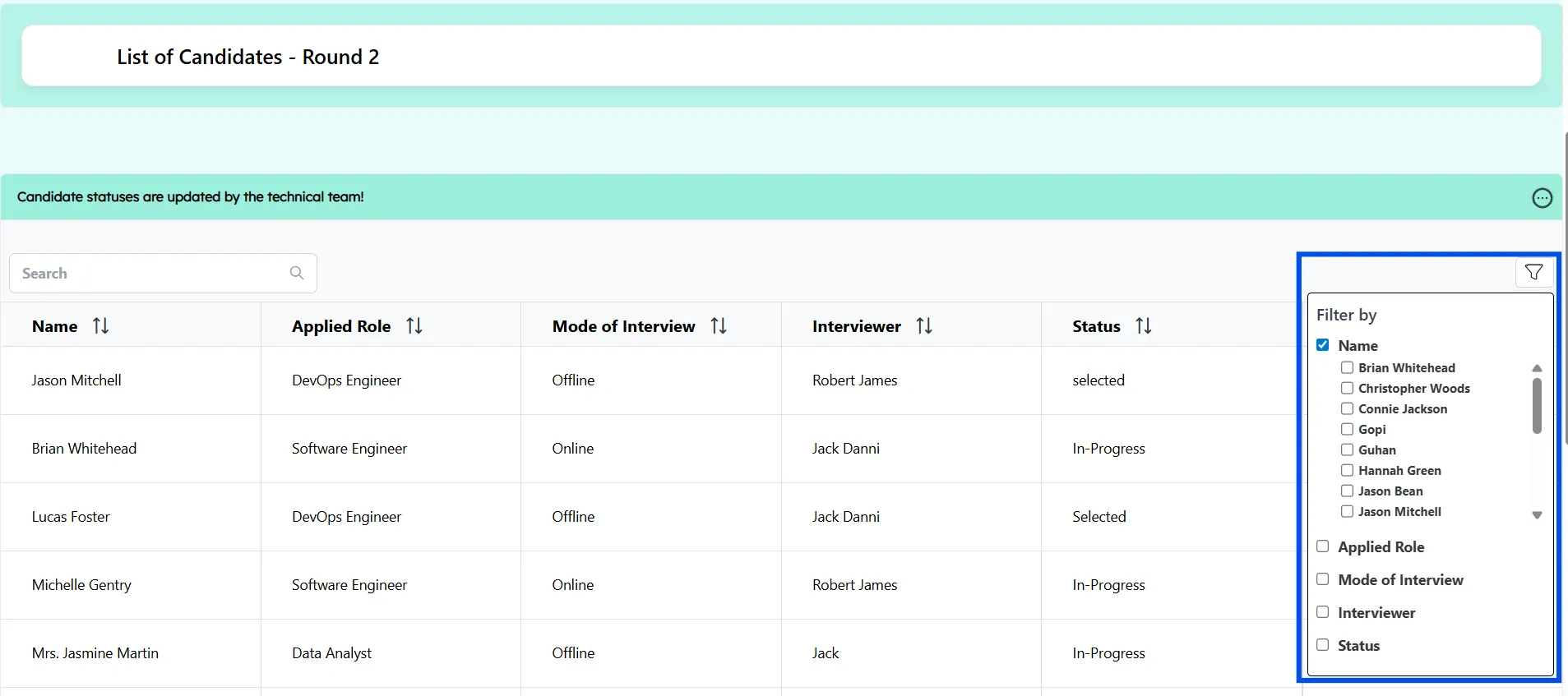
✦ Filter candidates by name, date, or status
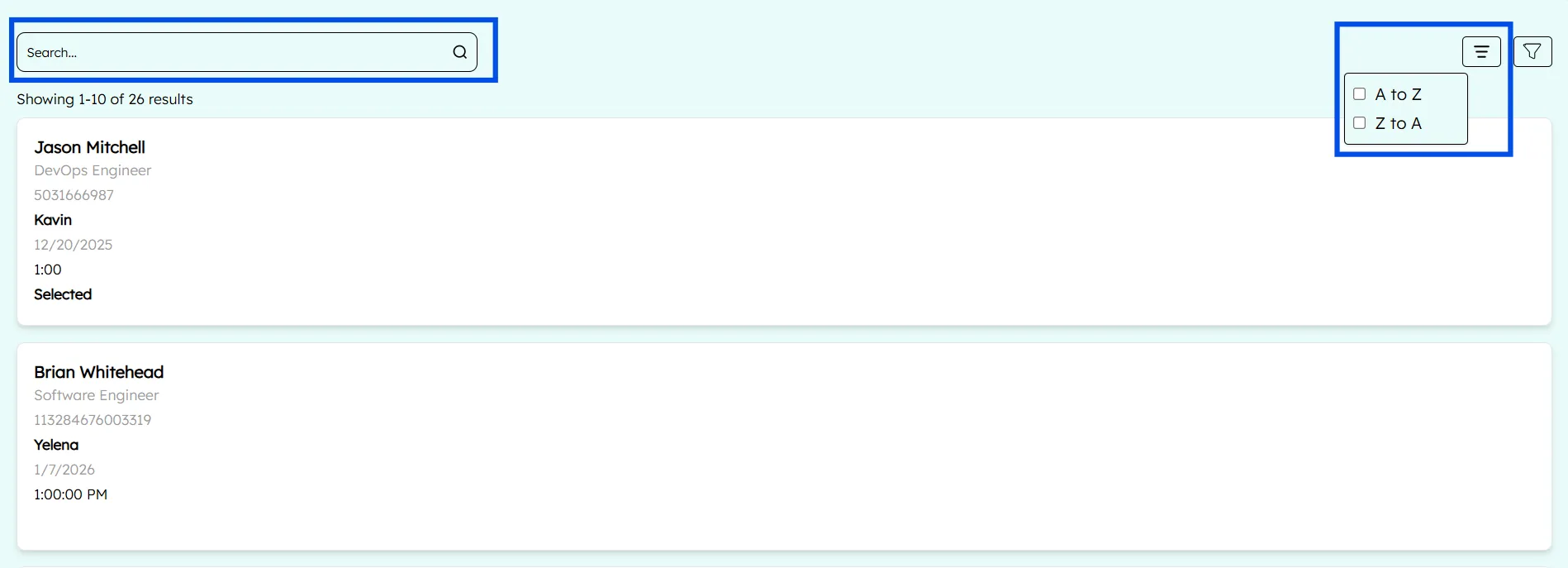
Sort candidates by "A to Z" or "Z to A"
Only candidates whose screening status is marked Completed are automatically moved into Round 1, ensuring process discipline.
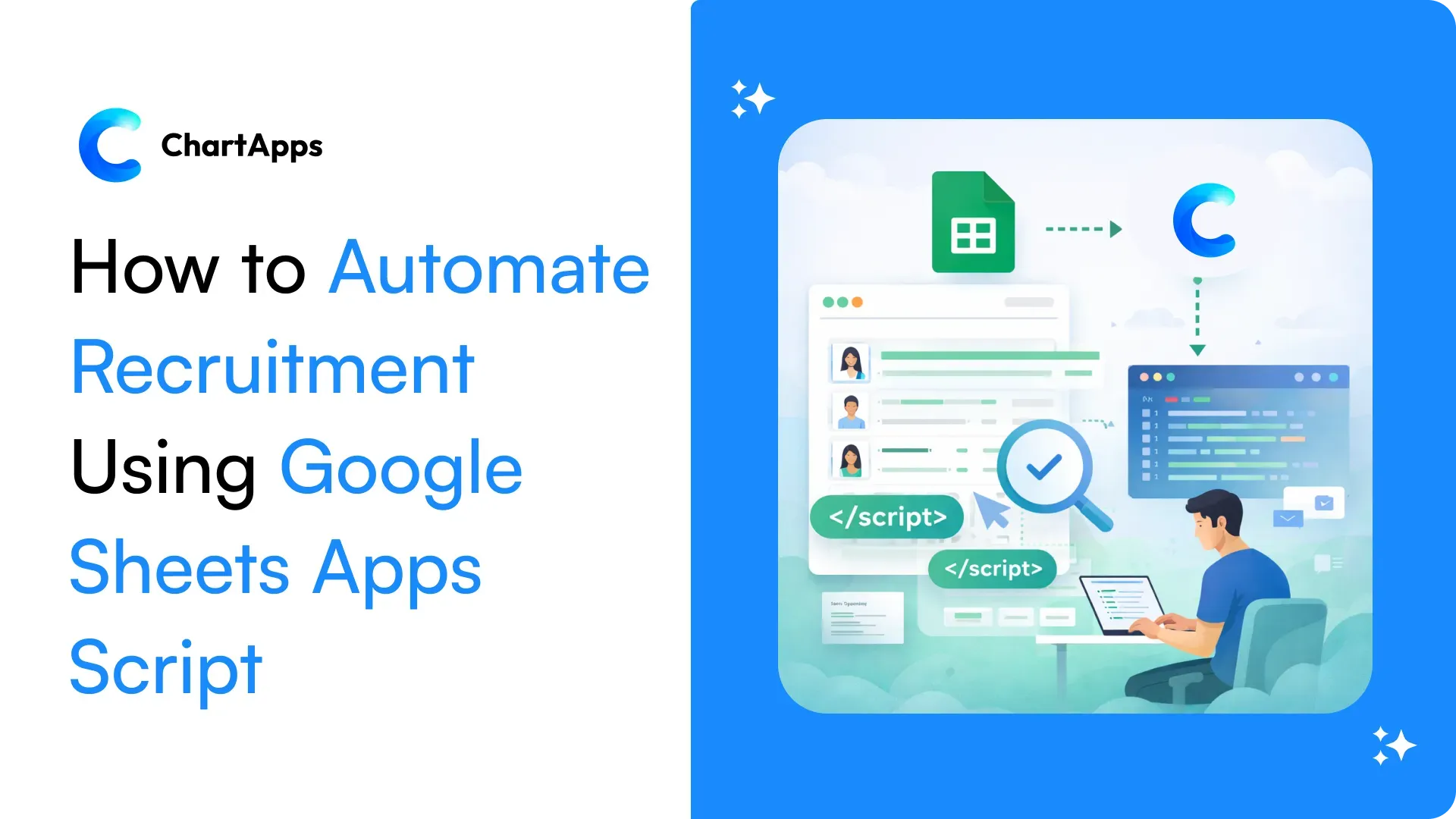
Note: We have used the Google Sheets Apps Script to make this automation
Round 2: Technical Interview
This round focuses on evaluating the candidate’s technical expertise and job-specific skills.
Purpose:
✦ Assess technical competency
✦ Validate hands-on experience
✦ Evaluate problem-solving and role alignment
HR Capabilities in Round 2:
✦ View the total number of candidates in the technical interview stag
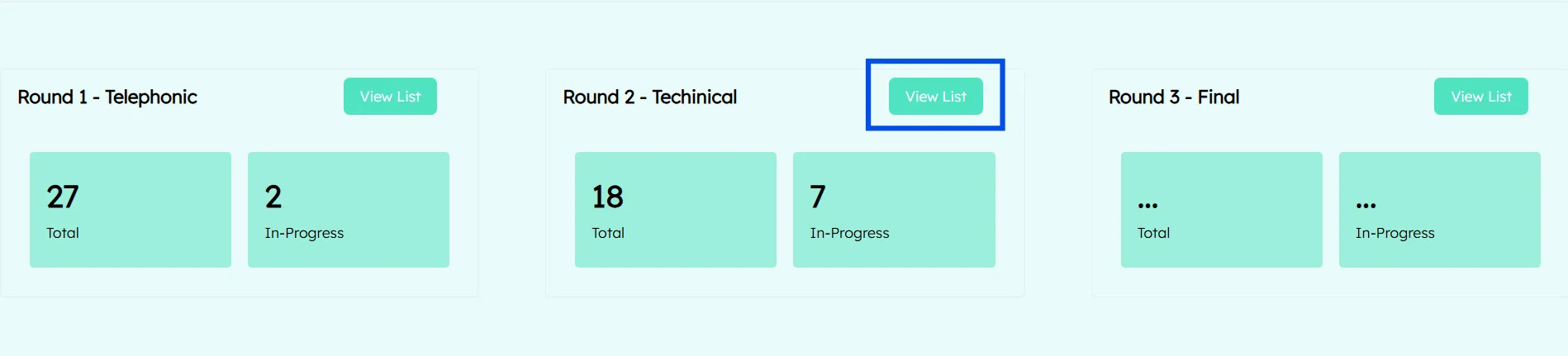
✦ Track candidates who are scheduled, in progress, or completed
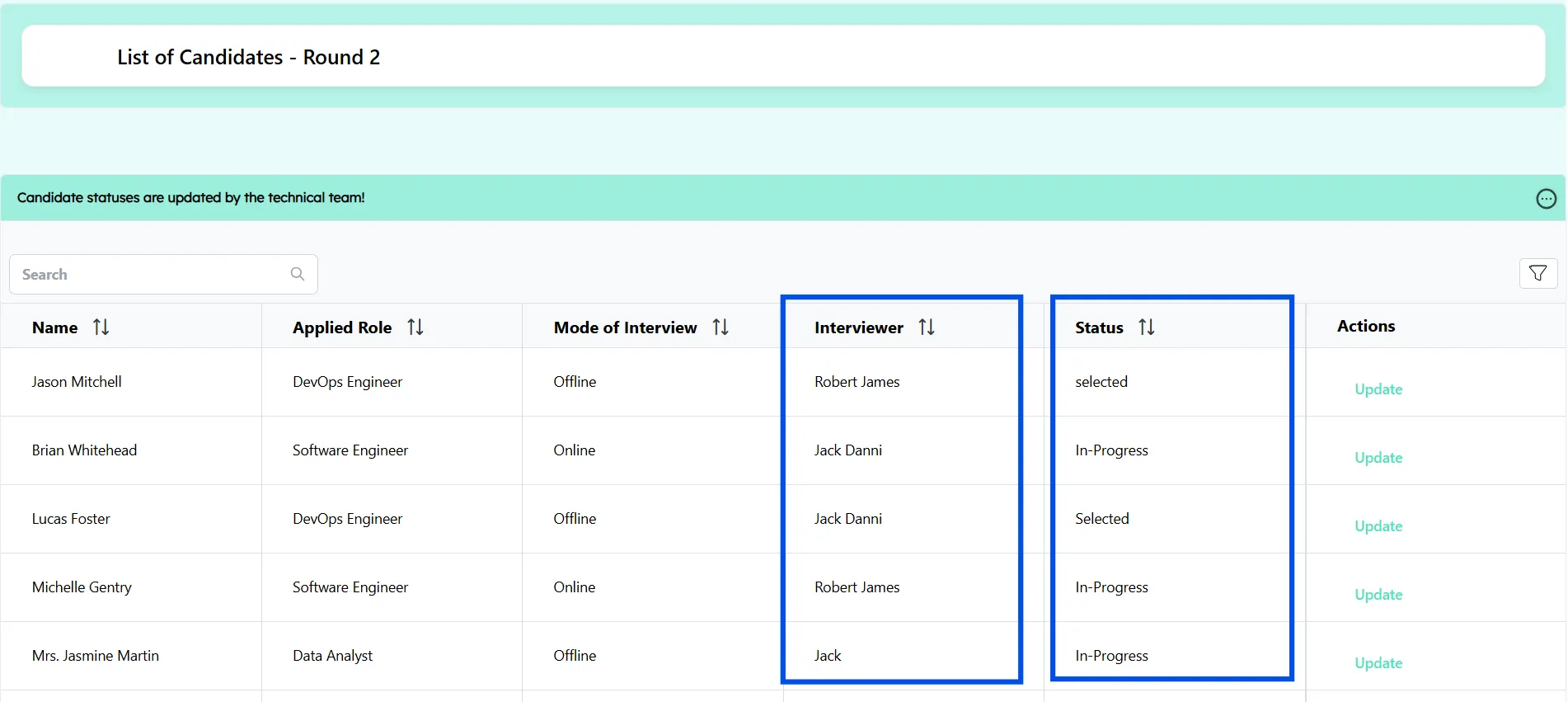
✦ Filter and sort candidates based on job role, interviewer, or interview status
✦ Ensure that only candidates selected in Round 1 appear in this stage
This round is tightly controlled to maintain quality and prevent unqualified candidates from progressing.
Round 3: Final Interview
The final interview round is focused on decision-making and cultural alignment.
Purpose:
✦ Final evaluation and approval
✦ Discuss compensation, role expectations, and joining timelines
✦ Confirm organizational fit
HR Capabilities in Round 3:
✦ View all candidates who have cleared the technical interview
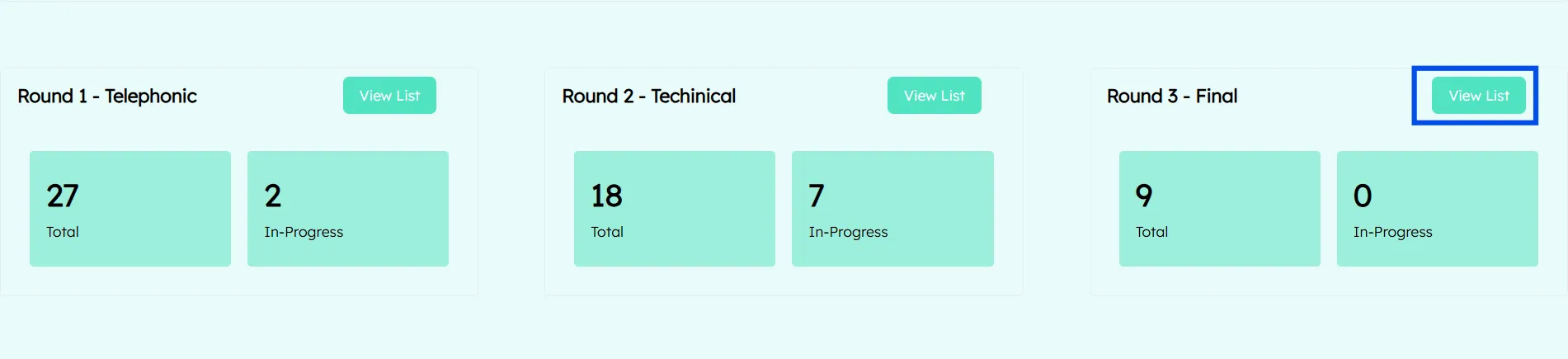
✦ Track interview completion and final selection status
✦ Filter and sort candidates for faster decision-making
✦ Move selected candidates directly to the onboarding stage
This round ensures that final hiring decisions are data-backed and well-documented.
Automated Candidate Flow Across Rounds
One of the system’s strongest features is automation-driven progression
Automated Transitions
✦ Screening completed → Candidate moves to Round 1
✦ Selected in Round 1 → Automatically moves to Round 2
✦ Selected in Round 2 → Automatically moves to Round 3
✦ Selected in Round 3 → Automatically moves to Onboarding
These transitions are powered by Apps Script automation, eliminating manual updates and reducing errors.
Automation ensures:
✦ Faster hiring cycles
✦ Zero status confusion
✦ Consistent recruitment logic
Interviewer Assignment
Managing interviewers efficiently is critical, especially for technical evaluations.
Interviewer Management Features:
✦ HR can add interviewers through a dedicated Add Interviewer Form

✦ Store interviewer details such as name, role, and specialization
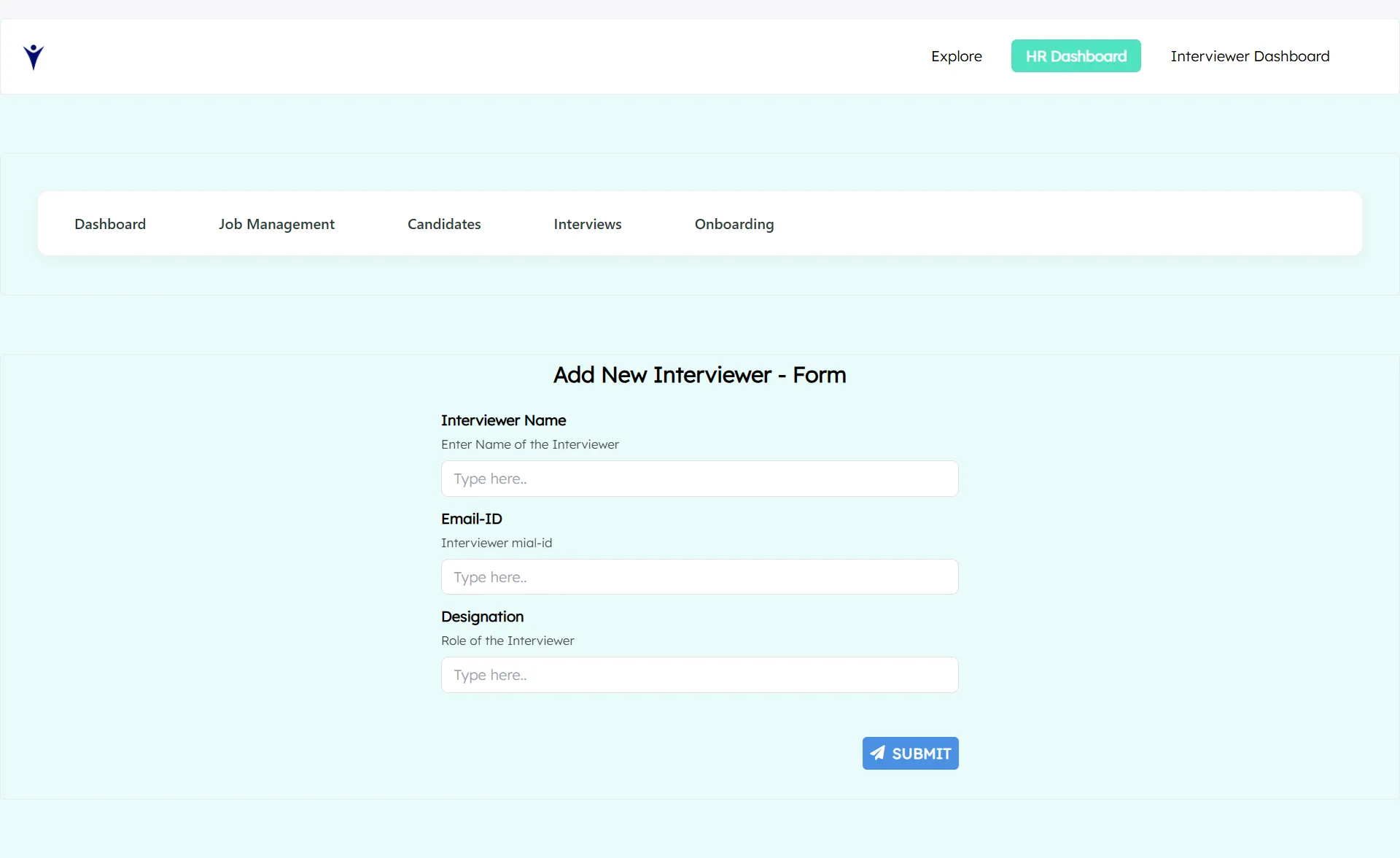
✦ Assign interviewers specifically to Technical Interviews (Round 2)
✦ Ensure interviewers only see candidates assigned to them
This role-based assignment avoids confusion and maintains data privacy and accountability.
Interview Scheduling
The system simplifies interview scheduling with round-specific controls.
Scheduling Capabilities:
✦ Dedicated scheduling buttons for:
Round 1 - Telephonic
Round 2 - Technical
Round 3 - Final
✦ Each button navigates to the respective round’s scheduling page

✦ HR can view candidate details directly while scheduling
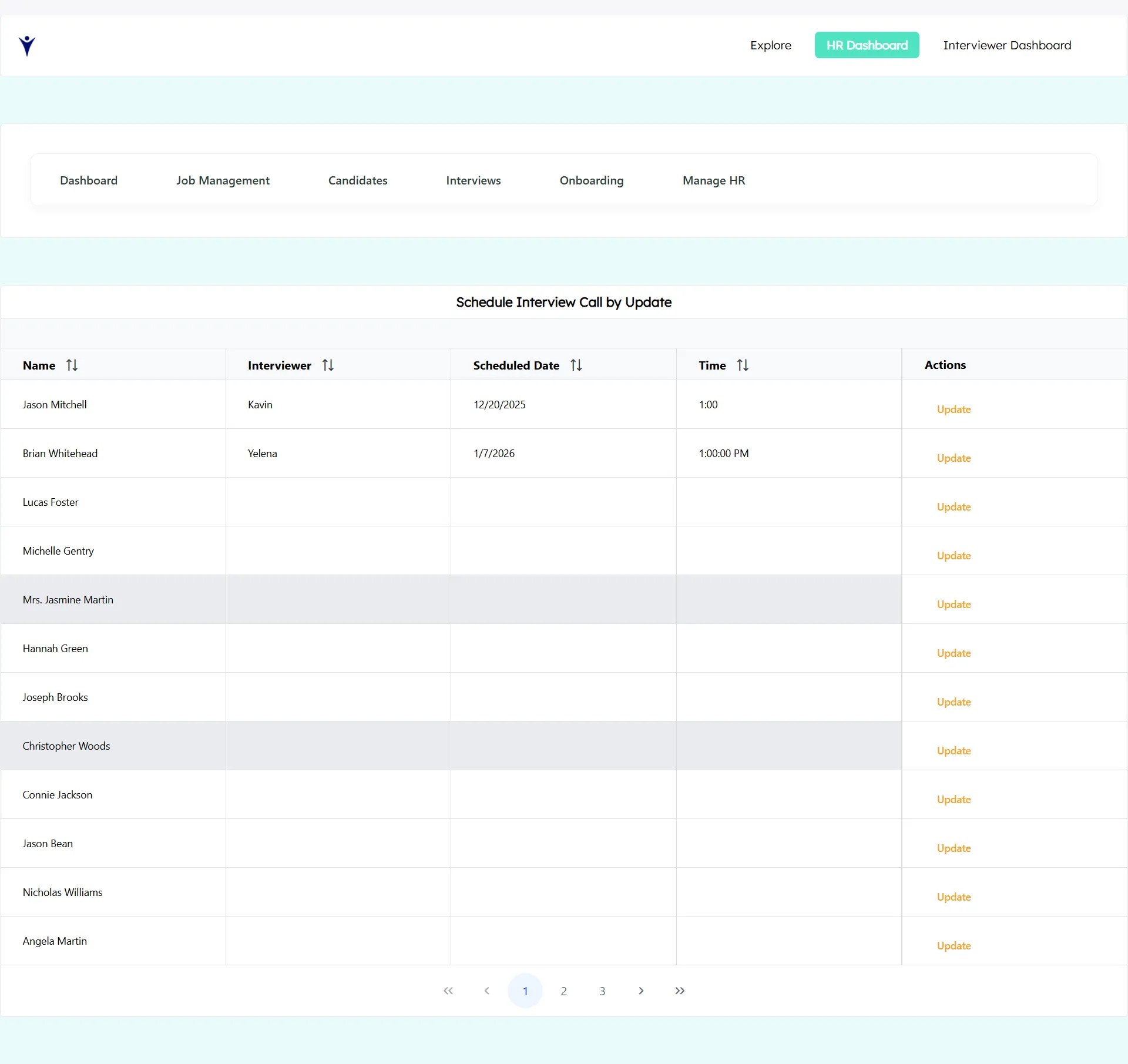
✦ Update interview dates, time slots, and status using the Update button
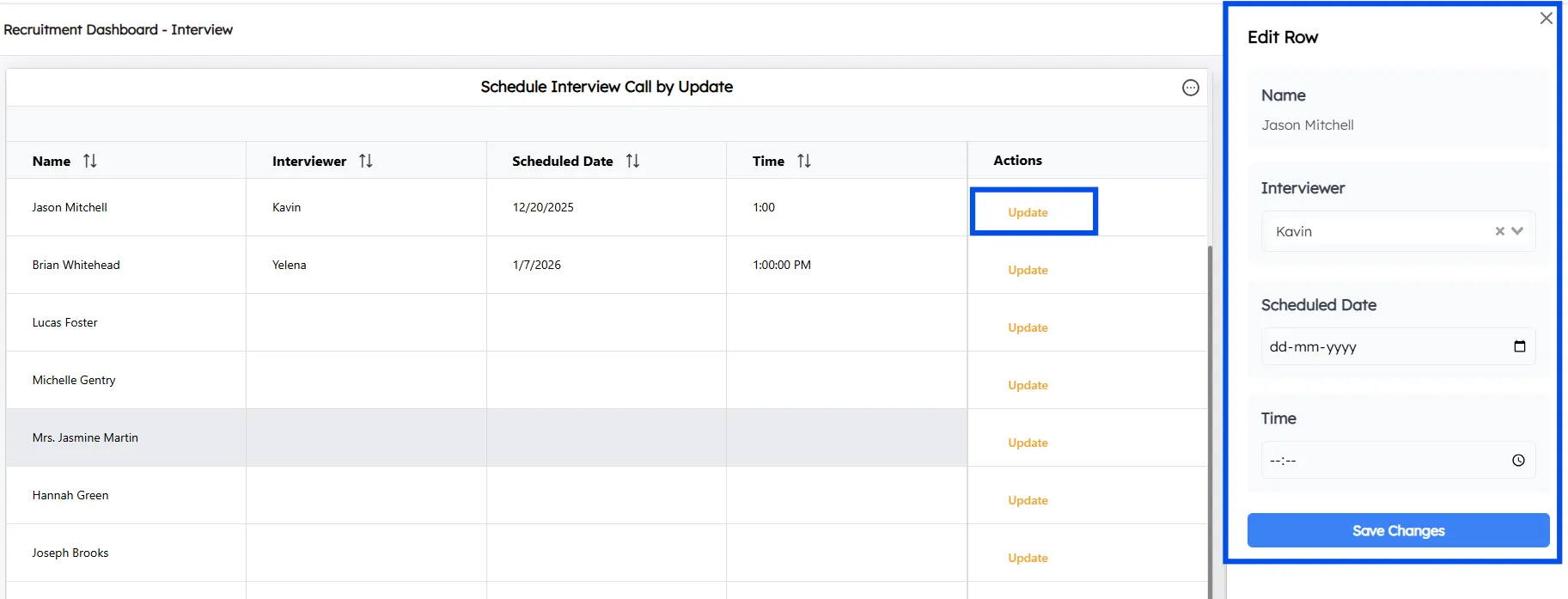
✦ All scheduling actions are centralized, reducing back-and-forth communication and manual follow-ups.
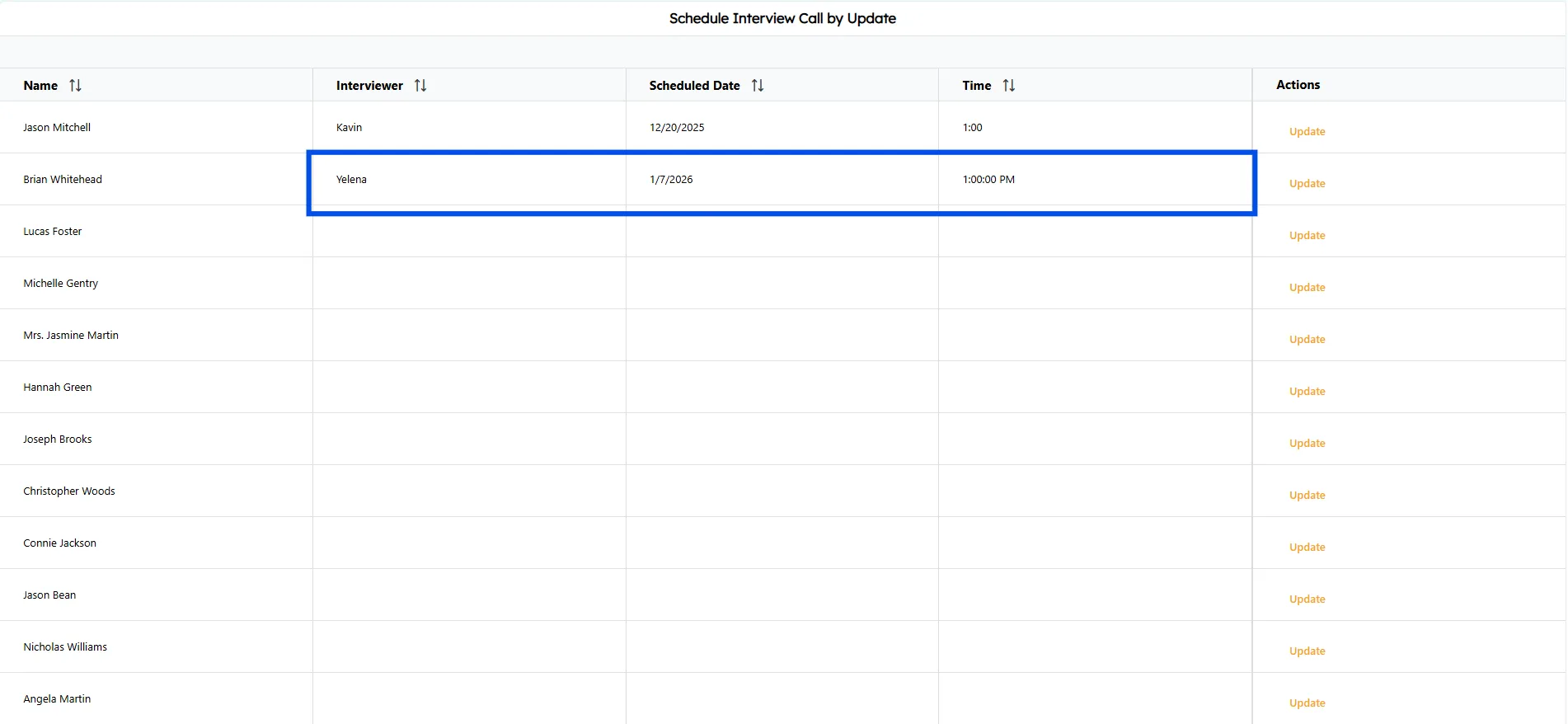
Overall View of Candidates
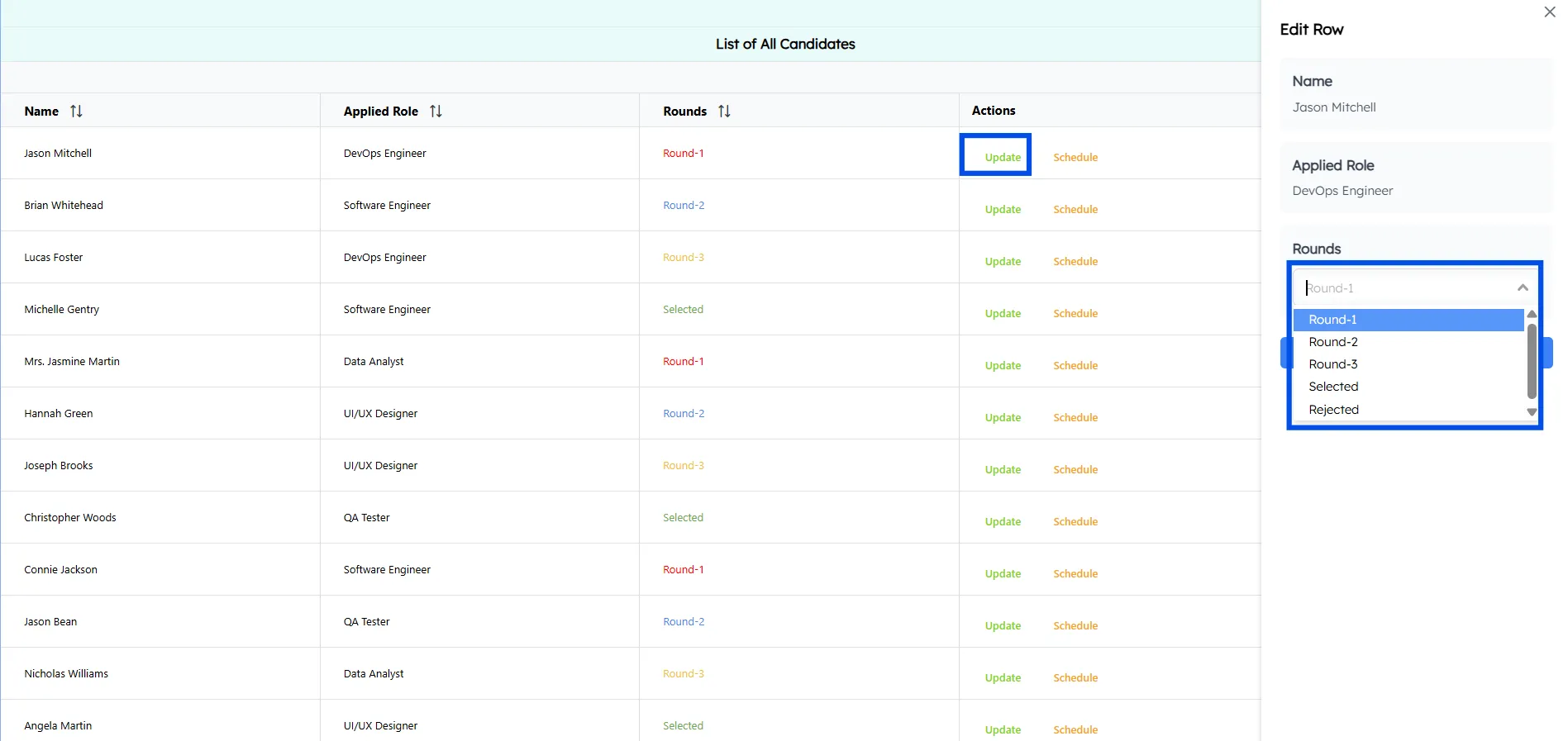
Here, HRs can access the complete list of candidates, view the interview round each candidate is currently in, and update interview rounds as needed.
Onboarding Management
Once candidates clear all interview rounds, they move into onboarding.
HR can:
✦ View onboarding candidates
✦ Update onboarding details such as:
✦ Onboarding status
✦ Joining date
✦ Background verification (BGV)
✦ Document submission status
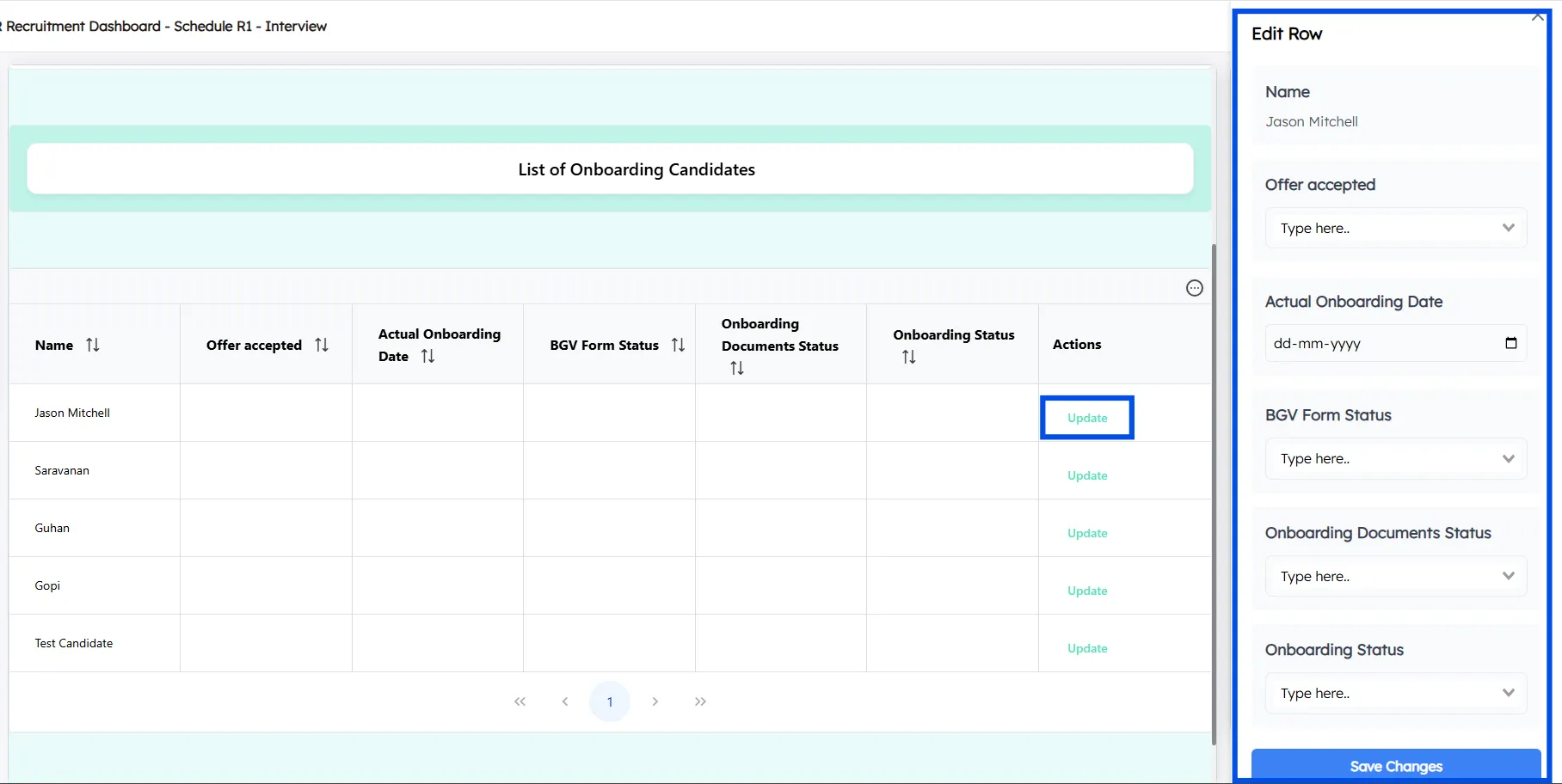
This makes onboarding structured, trackable, and compliant.
HR Management & Work Allocation
The system also supports HR team management.
✦ View list of HR users
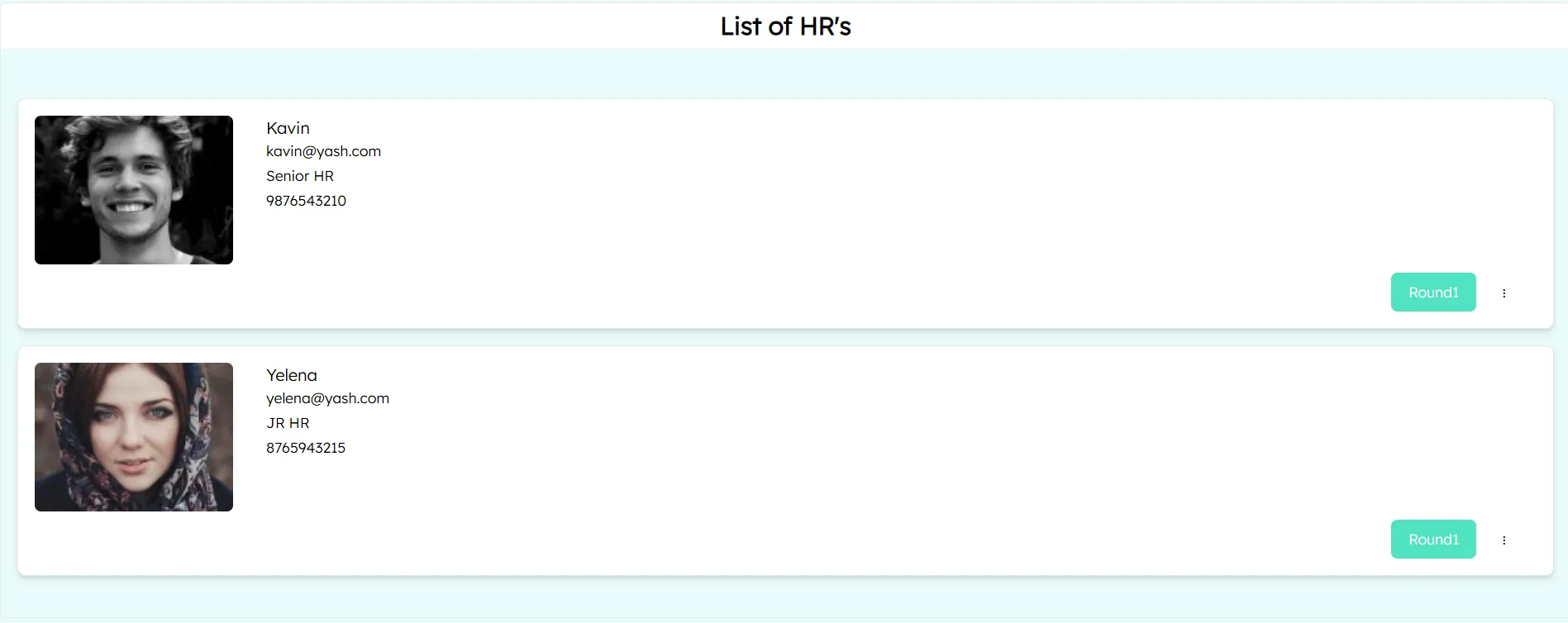
✦ HRs can view candidates linked to specific interview rounds who are assigned for them
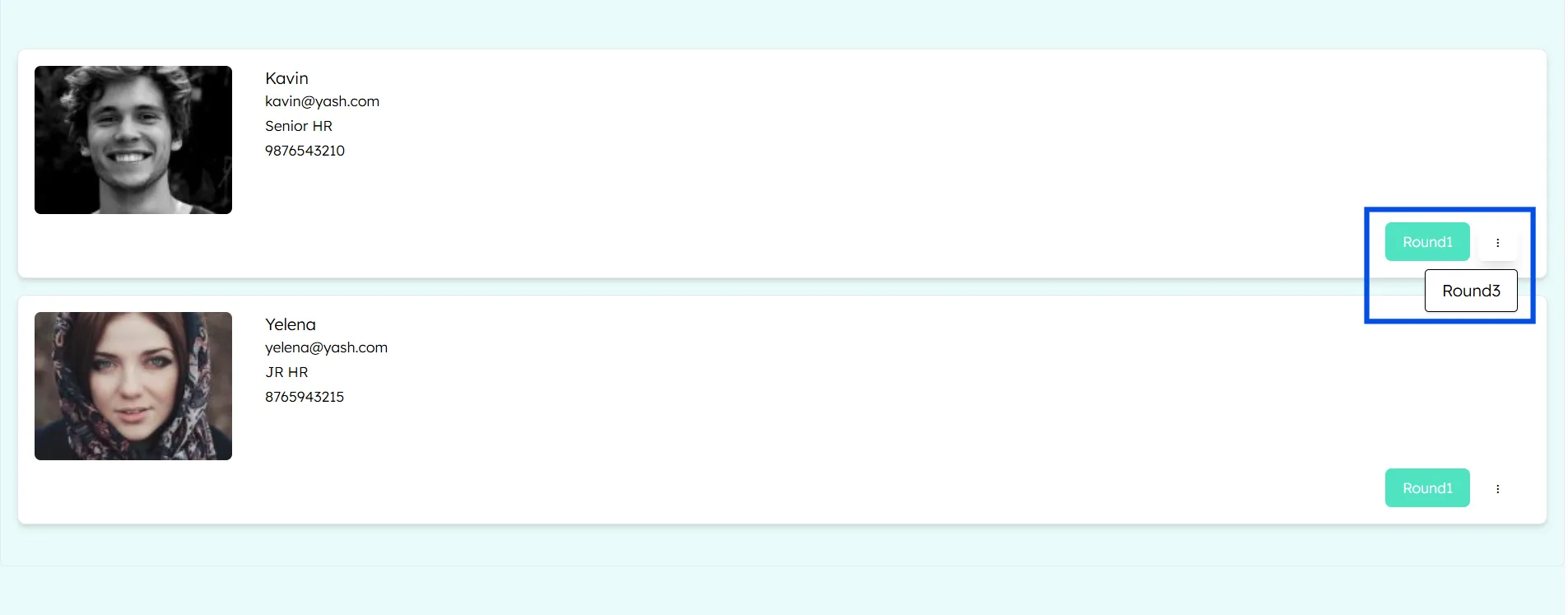
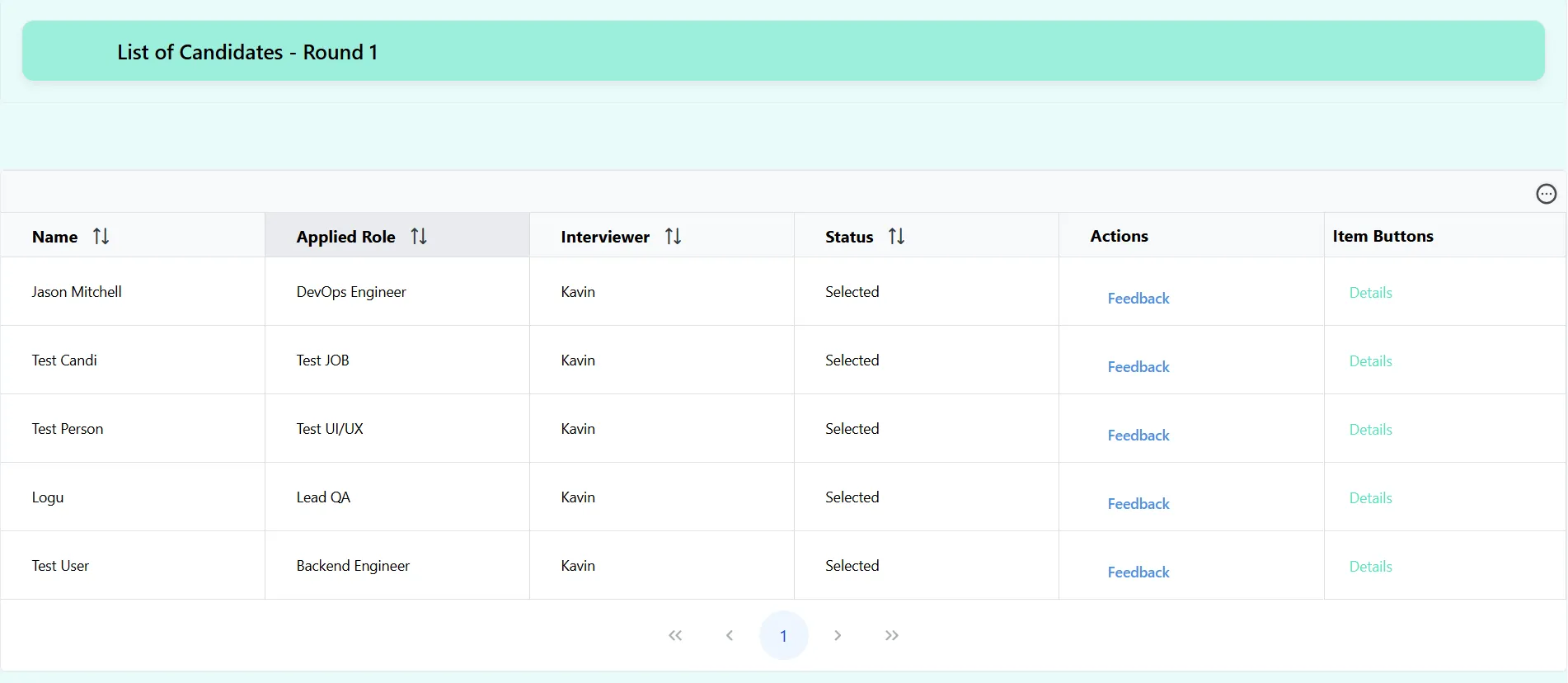
Here, ChartApps’ conditional filter is used to display the output, allowing HR users to view only the candidates assigned to them.
✦ Add new HR members using a simple form
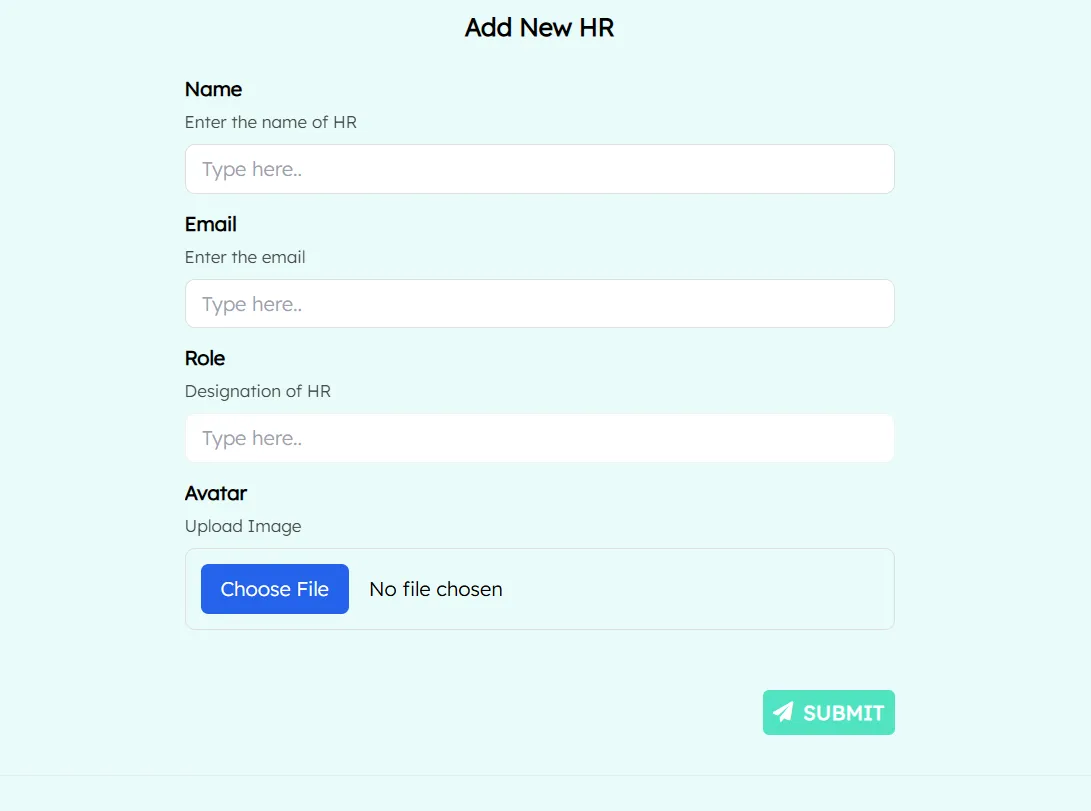
This ensures balanced workload distribution and ownership clarity.
Interviewer Dashboard: Focused & Secure
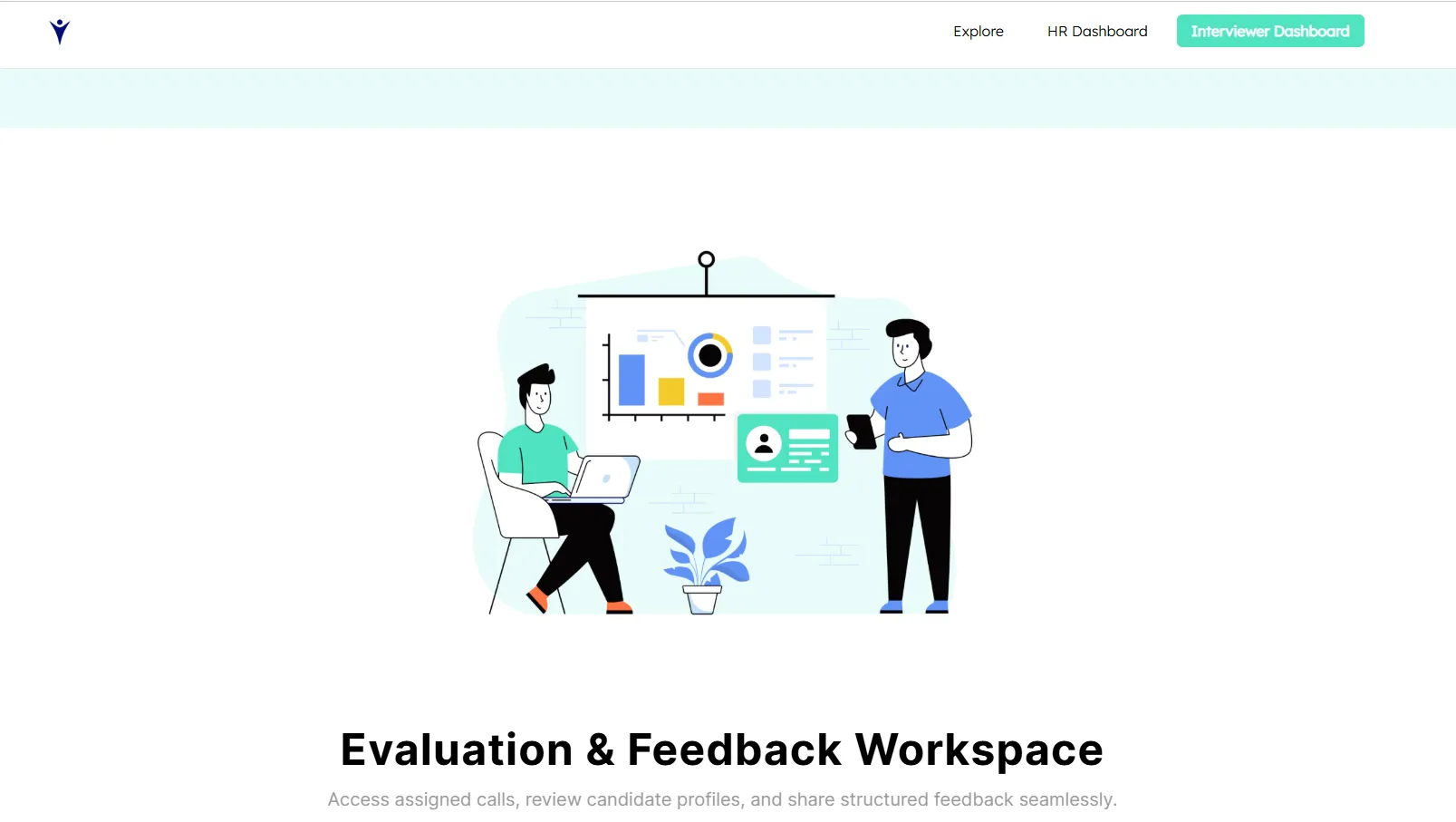
Interviewers get a dedicated dashboard designed only for their responsibilities.
✦ Interviewers can view only candidates assigned to them
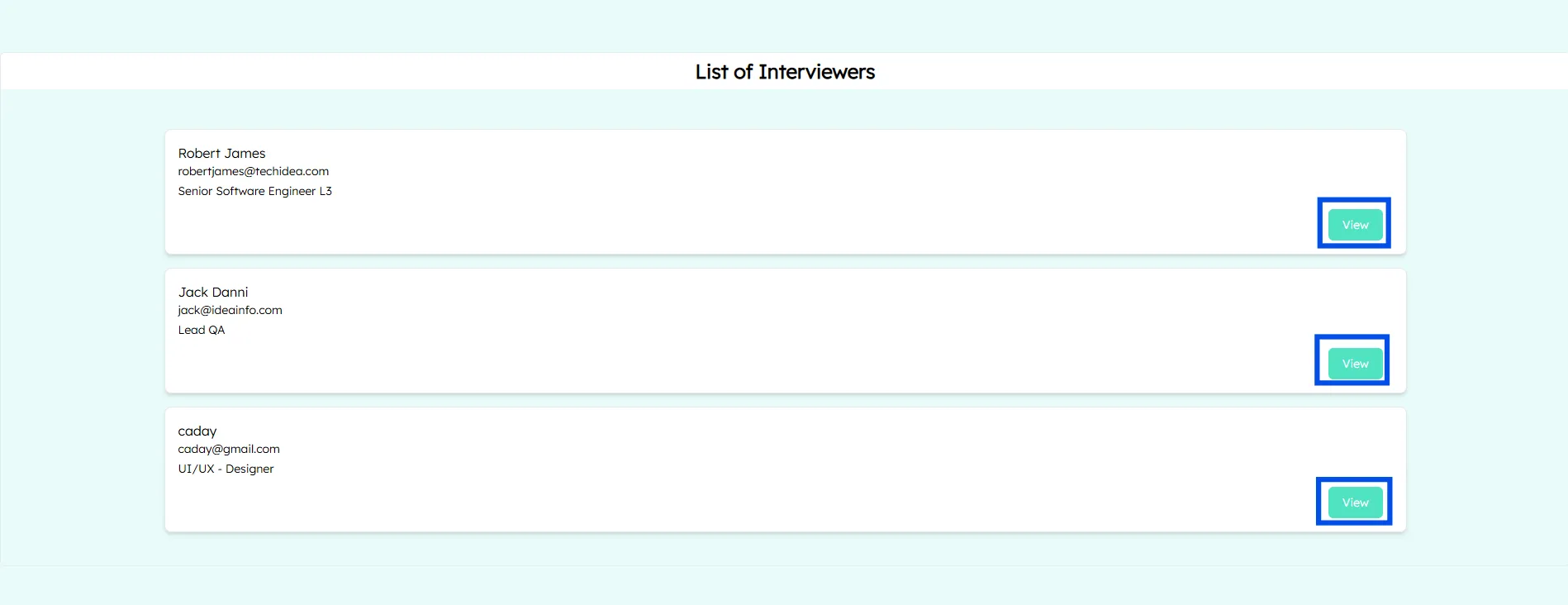
✦ No access to unrelated job openings or candidate data
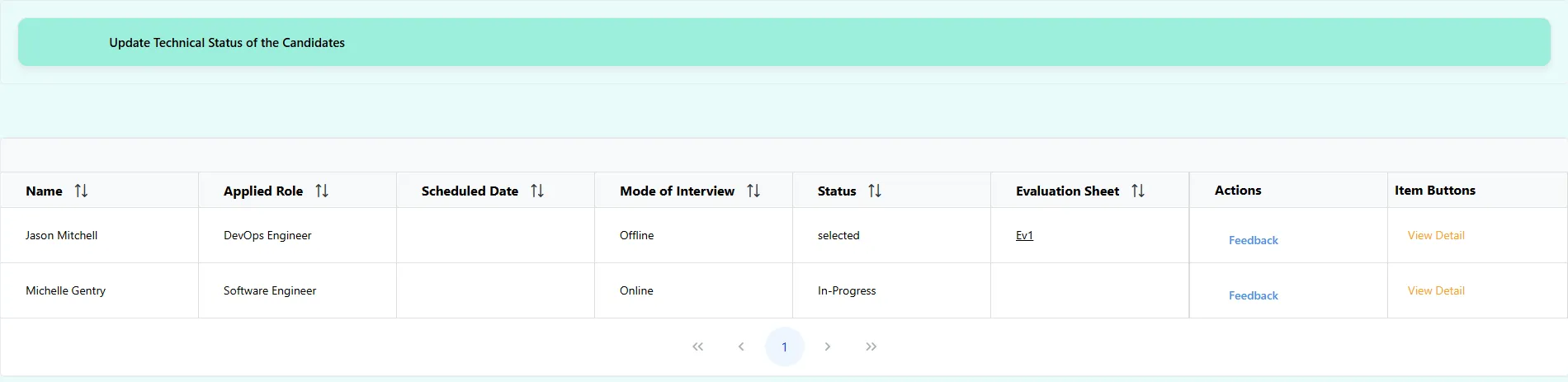
✦ Clean, distraction-free evaluation panel
✦ Technical Interviewer can update the candidate’s status by clicking “Feedback” button.
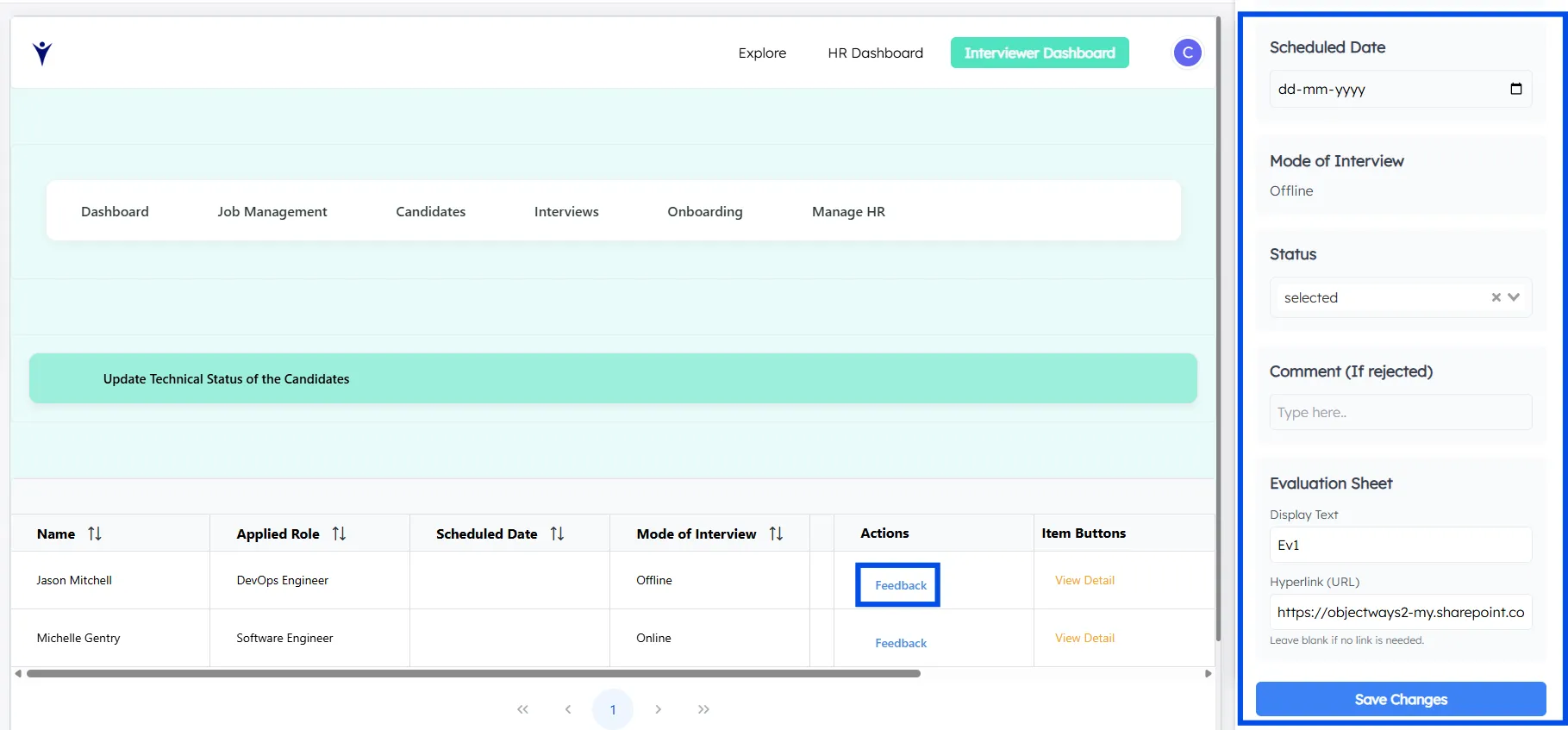
This improves data security and interviewer efficiency.
Conclusion
Modern recruitment requires more than manual tracking and disconnected tools. It demands the visibility and structure of a fully Automated HR Recruitment System. ChartApps enables this by bringing the entire hiring lifecycle into one centralized Recruitment Management Dashboard, offering the flexibility of a Google Sheets Applicant Tracking System (ATS) with the security of a dedicated app.
From job management and candidate tracking to multi-round interviews and onboarding, the system utilizes HR Hiring Workflow Automation powered by Apps Script to give HR teams complete control and clarity at every stage. By combining this automation with conditional access and structured interview flows, ChartApps reduces errors, eliminates delays, and ensures consistent hiring decisions. It creates a single source of truth for recruiters and interviewers, enabling faster, smarter, and more scalable recruitment while allowing teams to focus on selecting the right talent with confidence.